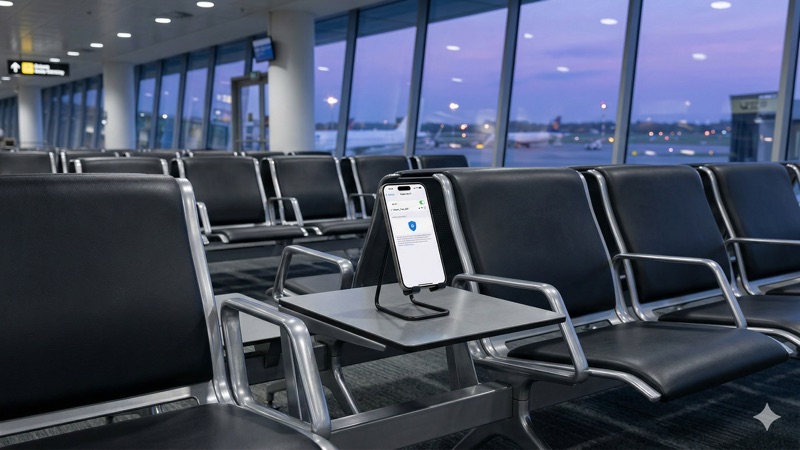
Why You Should Always Use a VPN on Public Wi-Fi
You sit down at your favorite coffee shop, order a latte, and connect to the free Wi-Fi. Within seconds, you’re checking your bank account, scrolling through emails, and maybe even logging into a work app. It feels routine, harmless even. But here’s what most people don’t realize: that convenient connection you just joined could be exposing your passwords, financial details, and personal messages to anyone nearby with the right tools. Using a VPN on public Wi-Fi is one of the simplest steps you can take to keep your data private — and in this article, we’ll explain exactly why it matters and how it works.
Public Wi-Fi networks are everywhere in 2026. Airports, hotels, libraries, restaurants, and shopping malls all offer free internet access. While that’s great for convenience, it creates real security risks that most users never think about. The truth is, these open networks were designed for easy access — not for safety. And that gap between convenience and security is precisely where problems happen.
The Real Risks of Public Wi-Fi Without a VPN
To understand why a public WiFi VPN matters, you first need to understand what can go wrong when you connect without one. Public Wi-Fi networks are typically unencrypted or use shared passwords that everyone in the building knows. That means the data traveling between your device and the router isn’t well protected.
Think of it like sending a postcard instead of a sealed letter. Anyone who intercepts it along the way can read what’s written. On an unsecured network, your browsing activity, login credentials, and even the content of unencrypted messages can potentially be visible to others on the same network.
This isn’t just a theoretical risk. Security researchers have demonstrated time and again how straightforward it can be to eavesdrop on public networks using freely available software. You don’t need to be a genius hacker — the tools are accessible, and the targets (regular people on open Wi-Fi) are plentiful.
Man-in-the-Middle Attacks
One of the most common threats on public Wi-Fi is what’s known as a man-in-the-middle (MITM) attack. In simple terms, an attacker positions themselves between you and the Wi-Fi router. Instead of your data going directly from your laptop to the internet, it passes through the attacker’s device first.
From that position, they can see the websites you visit, capture login credentials, and in some cases even alter the data you’re sending or receiving. You’d have no idea this was happening — everything would look normal on your screen. The attacker is quietly sitting at another table, or even parked outside, collecting information.
Evil Twin Networks
Another common attack is the “evil twin” — a fake Wi-Fi network set up to look like a legitimate one. Imagine you’re at an airport and you see two networks: “Airport_Free_WiFi” and “Airport_FreeWiFi.” Which one is real? It’s nearly impossible to tell without asking staff, and most people just pick whichever one has the stronger signal.
If you connect to the fake network, the attacker running it can see everything you do online. They control the router, so all your traffic flows through their system. They might even set up a fake login page that looks like the airport’s portal, tricking you into entering your email and a password — one that you probably use elsewhere too.
Packet Sniffing
Packet sniffing is a technique where someone uses software to capture the small packets of data moving across a network. On an open Wi-Fi network, these packets can be intercepted by anyone connected to the same network. Specialized programs like Wireshark (which is a legitimate network analysis tool) can be misused to read unencrypted traffic.
While HTTPS encryption on websites helps protect specific data like passwords during login, not all apps and services encrypt everything they transmit. Metadata — like which sites you visit, when, and how often — can still be visible. And some older or poorly designed apps may send data in plain text without you knowing.
Session Hijacking
Even if an attacker can’t steal your password directly, they may be able to hijack your active session. When you log into a website, your browser stores a small piece of data called a session cookie. If an attacker captures that cookie from an unprotected network, they can potentially use it to access your account without needing your password.
This is called session hijacking, and it’s been a known vulnerability for years. While many major websites have implemented additional protections against this, the risk hasn’t disappeared entirely — especially with smaller services and apps that may not follow the latest security best practices.
How a VPN Protects You on Public Wi-Fi
Now that you understand the threats, let’s talk about the solution. A VPN — which stands for Virtual Private Network — creates an encrypted tunnel between your device and a secure server. When you use a VPN on public Wi-Fi, all of your internet traffic is wrapped in a layer of strong encryption before it leaves your device.
This means that even if someone on the same network tries to intercept your data, all they’d see is scrambled, unreadable information. They wouldn’t be able to see the websites you visit, the passwords you type, or the files you download. It’s like putting your postcard inside a locked safe before handing it to the mail carrier.
Encryption: Your Data Becomes Unreadable
Modern VPN services use advanced encryption protocols — typically AES-256, which is the same standard used by governments and financial institutions worldwide. When your VPN is active, every piece of data leaving your device is encrypted to this level before it travels across the public network.
Even if a packet sniffer captures your data, decrypting AES-256 encryption with current technology is essentially impossible. The attacker would see a stream of meaningless characters instead of your bank login or email content. This is what makes a VPN so effective on untrusted networks.
IP Address Masking
A VPN also replaces your real IP address with one from the VPN server. Your IP address is like your device’s home address on the internet — it can reveal your approximate location and be used to track your activity across different websites.
When you connect through a VPN, websites and anyone monitoring the network only see the VPN server’s IP address, not yours. This adds a meaningful layer of privacy, especially on public networks where your real IP could be logged by the network operator or anyone else watching traffic.
Protection Against Evil Twins and MITM Attacks
Here’s the part that makes a VPN particularly valuable in coffee shops, airports, and hotels: even if you accidentally connect to a malicious network, your data is still encrypted. The attacker running the evil twin network can see that you’re connected and that you’re sending data, but they can’t read any of it.
This doesn’t make it safe to intentionally connect to suspicious networks, of course. But it provides a critical safety net. Mistakes happen — you might connect to the wrong network without realizing it. A VPN ensures that even in a worst-case scenario, your sensitive information stays protected.
Real-World Scenarios: Where a VPN on Public Wi-Fi Matters Most
It’s easy to think of public Wi-Fi risks as abstract or unlikely. But consider how often you actually use these networks, and what you do on them. The following scenarios are ones that millions of people experience every week.
Using a VPN at a Coffee Shop
Coffee shops are one of the most common places people use public Wi-Fi. You might spend an hour or two working remotely, checking emails, accessing cloud documents, or making online purchases. A VPN coffee shop setup is straightforward: open your VPN app, tap connect, and then proceed with your work normally.
Without a VPN, anyone on that same network — including the person with the laptop two tables over — could potentially monitor your traffic. With a VPN, your connection is private regardless of how many people share the network. This is especially important for freelancers and remote workers who handle sensitive client information.
Using a VPN on Airport Wi-Fi
Airports are high-risk environments for Wi-Fi security. Thousands of travelers connect to the same network every day, often in a rush and not paying close attention to which network they’re joining. VPN airport WiFi protection is essential because airports are prime targets for attackers setting up evil twin networks.
Travelers are particularly vulnerable because they’re often accessing travel-related accounts — airline apps, hotel booking confirmations, even passport information stored in email. They’re also frequently distracted, tired, and less likely to notice something suspicious. Turning on a VPN before connecting to any airport network should be as automatic as putting on your seatbelt.
Hotel and Accommodation Wi-Fi
Hotel Wi-Fi presents its own set of concerns. Many hotel networks use shared passwords — often printed on a card at the front desk or posted in the room. This means every guest has the same access, and traffic on the network may not be isolated between rooms.
Some hotels also use captive portals — those login pages that appear when you first connect. These portals can collect your name, email, and room number. While that’s usually for legitimate purposes, it also means the hotel is logging your connection. A VPN won’t prevent the initial portal login, but once connected and with your VPN active, your subsequent browsing remains private.
Choosing the Right VPN for Public Wi-Fi Protection
Not all VPN services are equal when it comes to protecting you on public networks. Here are the key features to look for when choosing a public WiFi VPN:
- Strong encryption: Look for AES-256 encryption and modern protocols like WireGuard or OpenVPN.
- Kill switch: This feature automatically disconnects your internet if the VPN connection drops, preventing your data from being exposed even for a moment.
- Auto-connect on untrusted networks: Many VPN apps can be set to automatically activate whenever you connect to a new or public Wi-Fi network.
- No-logs policy: A reputable VPN should have a verified no-logs policy, meaning they don’t store records of your online activity.
- Reliable speeds: A slow VPN is frustrating and may tempt you to disconnect — which defeats the purpose entirely.
Several well-known VPN providers offer these features reliably. NordVPN supports up to 10 simultaneous connections, which covers most people’s devices comfortably. ExpressVPN on its Pro plan supports up to 14 simultaneous connections on its Pro plan (Basic: 10, Advanced: 12), making it a good choice for families or people with many devices. Surfshark offers unlimited simultaneous connections, which means you can protect every device you own without worrying about limits.
All three of these providers include automatic Wi-Fi protection features, kill switches, and strong encryption. Your choice may come down to pricing, server locations, or which app interface you prefer — but for public Wi-Fi protection specifically, any of them would serve you well.
What About Free VPNs?
Free VPNs can be tempting, especially if you only need protection occasionally. However, there are important limitations to be aware of. Most free VPNs in 2026 impose data caps of around 2GB to 10GB per month, which can be used up quickly if you stream video or download large files.
More importantly, some free VPN services fund their operations by collecting and selling user data — which is the exact opposite of what you want from a privacy tool. Others may inject ads into your browsing experience or use weaker encryption standards. If you choose a free VPN, stick with the free tiers offered by reputable paid providers (like Proton VPN’s free plan), rather than downloading an unknown app from an app store.
For regular use on public Wi-Fi, a paid VPN subscription — which typically costs a few dollars per month on annual plans — offers significantly better protection, speed, and peace of mind.
Best Practices for Public Wi-Fi Security Beyond a VPN
A VPN is the most important tool in your public Wi-Fi security toolkit, but it works even better when combined with other good habits. Here’s what else you should do to stay safe on shared networks.
Verify the Network Name
Before connecting to any public Wi-Fi network, confirm the exact network name with staff. Ask the barista, the hotel receptionist, or check an official sign. This simple step can help you avoid evil twin networks that use names similar to the real one.
Turn Off Automatic Connections
Most phones and laptops can be set to automatically join known networks. While convenient at home, this feature can be dangerous in public. Your device might automatically connect to a network with a name it recognizes — even if it’s actually a malicious clone. Disable auto-join for public networks and connect manually each time.
Use HTTPS Whenever Possible
HTTPS encrypts the connection between your browser and the website you’re visiting. Most major websites use HTTPS by default in 2026, but not all do. Look for the padlock icon in your browser’s address bar. A VPN adds a layer of encryption on top of HTTPS, creating a double layer of protection for your most sensitive activities.
Disable File Sharing and AirDrop
Features like file sharing, AirDrop (on Apple devices), and network discovery are useful at home but can expose your device on public networks. Turn these off before connecting to public Wi-Fi. On Windows, you can select “Public Network” when connecting, which automatically restricts sharing. On Mac and mobile devices, check your sharing settings manually.
Keep Your Software Updated
Software updates often include security patches that fix vulnerabilities attackers could exploit. Make sure your operating system, browser, and VPN app are all up to date before you travel or work from public locations. An unpatched device is a vulnerable device, even with a VPN running.
Use Two-Factor Authentication
Two-factor authentication (2FA) adds an extra verification step when logging into your accounts — usually a code sent to your phone or generated by an app. Even if someone were to capture your password on a public network, they wouldn’t be able to access your account without the second factor. Enable 2FA on all accounts that support it, especially email, banking, and social media.
✅ Connect to your VPN before doing anything else
✅ Verify the network name with staff
✅ Disable auto-connect for public networks
✅ Check for HTTPS on websites
✅ Turn off file sharing and AirDrop
✅ Keep all software and apps updated
✅ Use two-factor authentication on important accounts
Common Myths About Public Wi-Fi Security
There’s a lot of misinformation about public Wi-Fi risks and VPN protection. Let’s clear up some of the most common misconceptions.
“HTTPS Makes a VPN Unnecessary”
While HTTPS is a significant security improvement, it doesn’t make a VPN redundant. HTTPS encrypts the data exchanged between your browser and a specific website, but it doesn’t hide which websites you visit. Your DNS queries (the requests that translate website names into addresses) may still be visible. Additionally, not all apps on your device use HTTPS for all communications. A VPN encrypts everything leaving your device, offering broader and more consistent protection.
“Public Wi-Fi Attacks Are Rare”
It’s true that not every coffee shop has an attacker lurking in the corner. But the frequency of these attacks is difficult to measure precisely because victims usually don’t realize what’s happened. What we do know is that the tools to carry out these attacks are freely available, easy to use, and the consequences for victims — identity theft, financial fraud, compromised accounts — can be severe. The question isn’t whether it will happen on any specific occasion, but whether you want to take that risk with your personal data.
“My Phone Is Safer Than My Laptop”
Smartphones face the same risks as laptops on public Wi-Fi. In fact, phones may be more vulnerable in some ways because they frequently connect to networks in the background, often run many apps simultaneously (some with questionable security practices), and are more likely to be used on-the-go without active security measures. Make sure your VPN app covers your phone as well as your computer.
VPN on Public Wi-Fi: Limitations to Be Honest About
A VPN is a powerful privacy tool, but it’s important to be realistic about what it can and can’t do. Transparency helps you make better decisions about your overall security.
A VPN won’t protect you from malware. If you download a malicious file or click a phishing link, a VPN can’t stop that. You still need antivirus software and good browsing habits. A VPN also won’t make you completely anonymous — the VPN provider itself can technically see your traffic (which is why choosing a provider with a verified no-logs policy matters).
A VPN can slightly reduce your internet speed due to the encryption process and the extra step of routing through a remote server. For browsing, email, and most online tasks, this difference is usually negligible. For activities like video calls or large downloads, you might occasionally notice it, but modern VPN protocols like WireGuard have made this much less of an issue than it was a few years ago.
Finally, a VPN doesn’t replace common sense. Don’t access sensitive accounts on devices you don’t trust, don’t ignore security warnings in your browser, and don’t assume you’re invincible because you have a VPN running. It’s one important layer in a broader approach to digital security.
Frequently Asked Questions About VPN on Public Wi-Fi
Do I really need a VPN every time I use public Wi-Fi?
Yes, it’s strongly recommended. Even if you’re just browsing casually, public Wi-Fi exposes your data to potential interception. A VPN takes seconds to activate and protects all of your traffic automatically. Since you can’t know for certain whether a network is secure or compromised, using a VPN every time is the safest habit to develop.
Can a VPN slow down my internet on public Wi-Fi?
A VPN can introduce a small amount of additional latency because your data is being encrypted and routed through a remote server. However, with modern protocols like WireGuard, the speed difference is usually minimal — often unnoticeable during regular browsing, email, and streaming. In some cases, a VPN can actually improve your experience if the network operator is throttling certain types of traffic.
Is it safe to use banking apps on public Wi-Fi with a VPN?
Using a VPN significantly increases your security when accessing banking apps on public Wi-Fi. Banking apps typically use their own encryption (HTTPS/TLS), and adding a VPN creates an additional encrypted layer. While no setup is 100% risk-free, using a reputable VPN on a public network makes it much safer than connecting without one. For the highest level of caution, you could also use your mobile data instead of Wi-Fi for financial transactions.
What’s the difference between a VPN and using HTTPS?
HTTPS encrypts the data between your browser and a specific website — like your password when you log in. A VPN encrypts all traffic from your device to the VPN server, covering every app and service, not just your browser. A VPN also hides which websites you’re visiting from others on the network, while HTTPS does not. For the best protection on public Wi-Fi, use both together.
Can I use a free VPN to protect myself on public Wi-Fi?
Some free VPNs from reputable providers can offer basic protection on public Wi-Fi. However, most free VPNs have data caps (typically 2GB to 10GB per month in 2026), limited server options, and slower speeds. Some less reputable free VPNs may actually compromise your privacy by logging and selling your data. If you use public Wi-Fi regularly, a paid VPN subscription is a worthwhile investment for consistent, reliable protection.
Should I use a VPN on hotel Wi-Fi even if it requires a password?
Absolutely. Hotel Wi-Fi passwords are shared among all guests and are not a meaningful security measure. They prevent unauthorized people from outside the hotel from connecting, but every guest on the network can still potentially see each other’s traffic. A VPN protects your data from other guests, from the hotel’s network monitoring, and from any potential attackers who may have gained access to the network.
Conclusion: Make VPN on Public Wi-Fi a Non-Negotiable Habit
Public Wi-Fi is a part of modern life, and there’s no reason to stop using it entirely. But connecting without protection is an unnecessary risk that’s easily avoidable. Using a VPN on public Wi-Fi encrypts your data, hides your browsing activity, and shields you from the most common attacks that target users on open networks.
Whether you’re working from a coffee shop, catching up on emails at the airport, or streaming a show in a hotel room, a VPN ensures your personal information stays personal. Combined with good habits like verifying network names, using HTTPS, and enabling two-factor authentication, you can use public Wi-Fi with genuine confidence.
The setup takes less than a minute — install a VPN app, choose a server, and tap connect. That small step makes a meaningful difference. If you’re not sure which VPN to choose, take a look at our guide to the best VPN services in 2026 to find the right fit for your needs and budget.