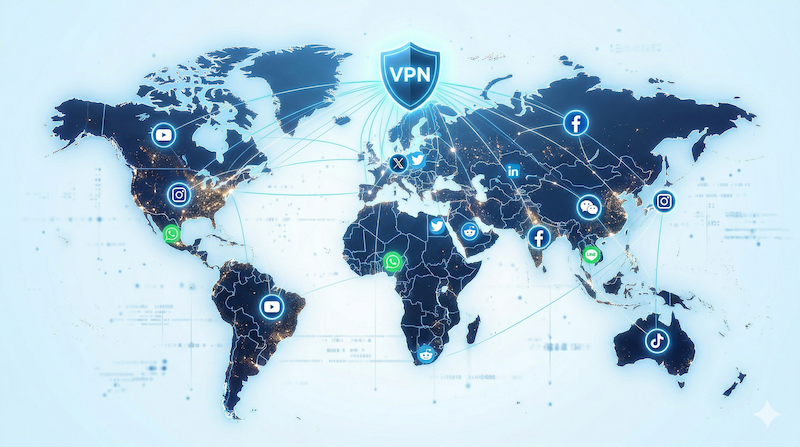
You’ve probably used a VPN before — maybe you clicked “Connect” and watched your IP address change. But have you ever wondered what actually happens on the other end? What is the VPN server, and what does it do with your data?
Understanding VPN servers helps you make smarter choices — like which server location to pick, why some servers are faster than others, and what “specialty servers” actually mean. Let’s break it all down in plain language.
This article contains affiliate links.
What Is a VPN Server?
The simple explanation
A VPN server is a computer (usually in a data center) that acts as a middleman between your device and the internet. When you connect to a VPN, here’s what happens:
- Your device encrypts your data and sends it to the VPN server
- The VPN server decrypts it and forwards your request to the website
- The website responds to the VPN server (not directly to you)
- The VPN server encrypts the response and sends it back to your device
The result? Websites see the VPN server’s IP address instead of yours, and your ISP sees encrypted traffic going to one server — nothing else.
Think of it like a post office
Imagine you want to send a letter, but you don’t want the recipient to know your home address. You put your letter inside a locked box and send it to a trusted post office (the VPN server). The post office opens the box, puts your letter in a new envelope with their return address, and sends it to the recipient. When the reply comes back, the post office locks it in a box again and sends it to you. Neither the recipient nor anyone watching the mail route knows where you live.
Types of VPN Servers
Not all VPN servers are the same. Premium providers offer specialized servers for different use cases:
| Server type | What it does | Best for |
|---|---|---|
| Standard servers | Regular encrypted connection | Everyday browsing, email, general use |
| Double VPN servers | Routes traffic through 2 servers for dual encryption | Maximum security needs |
| P2P servers | Optimized for peer-to-peer file sharing | Torrenting, large file transfers |
| Obfuscated servers | Disguises VPN traffic as regular HTTPS | Networks that block VPN connections |
| Dedicated IP servers | Gives you a unique, consistent IP address | Accessing services that flag shared IPs |
| Onion Over VPN | Connects to the Tor network through VPN | Maximum anonymity |
What Makes a VPN Server Fast (or Slow)?
If you’ve ever wondered why some VPN connections feel sluggish while others are lightning-fast, these are the key factors:
Distance matters
The physical distance between you and the VPN server directly affects speed and latency. Connecting to a server in your own country is almost always faster than connecting to one on the other side of the world.
Server load
When too many users connect to the same server, it gets congested — like a highway during rush hour. Providers with larger networks (like NordVPN’s 8,900+ servers) spread users across more servers, reducing congestion.
Server hardware
Premium providers invest in high-performance hardware with fast processors and plenty of bandwidth. Budget providers often use cheaper, slower servers or share resources with other services.
Protocol efficiency
Modern protocols like NordLynx (WireGuard) handle encryption much more efficiently than older protocols like OpenVPN, resulting in noticeably faster connections through the same server.
| Speed factor | Impact | What you can control |
|---|---|---|
| Server distance | High | ✅ Choose nearby servers |
| Server load | Medium-High | ✅ Pick less crowded servers |
| Server hardware | Medium | ❌ Depends on provider |
| VPN protocol | High | ✅ Use WireGuard/NordLynx |
| Your base internet speed | High | Depends on your ISP plan |
RAM-Only vs. Traditional Servers
This is an important security distinction that many people overlook:
| Feature | Traditional (disk-based) | RAM-only |
|---|---|---|
| Data storage | Written to hard drives | Stored in volatile memory only |
| On reboot | Data may persist | All data wiped automatically |
| Physical seizure risk | Data could be recovered | Nothing to recover |
| Security level | Depends on disk encryption | Hardware-level guarantee |
RAM-only servers are the gold standard for VPN security. Since everything runs in volatile memory, all data is automatically erased every time the server restarts. Even if someone physically seized the server, there would be nothing to find. NordVPN runs their entire network on RAM-only servers.
How to Choose the Right VPN Server
Quick decision guide
| Your goal | Best server choice |
|---|---|
| Fastest possible speed | Nearest server in your country + NordLynx protocol |
| Maximum privacy | Double VPN server |
| Torrenting / P2P | P2P-optimized server |
| Network blocks VPN | Obfuscated server |
| Consistent IP for services | Dedicated IP server |
| Maximum anonymity | Onion Over VPN server |
Pro tips
- Use “Quick Connect” — Most VPN apps automatically select the fastest server for your location. This is the best choice for most situations.
- Check server load — Many apps show current server usage. Pick servers with lower load for better performance.
- Try different servers — If one server feels slow, switch to another in the same country. Performance can vary.
VPN Server Networks Compared
| Feature | NordVPN | Surfshark | ExpressVPN |
|---|---|---|---|
| Total servers | 8,900+ | 3,200+ | 3,000+ |
| Countries | 120+ | 100+ | 105 |
| RAM-only | ✅ All servers | ✅ All servers | ✅ All servers |
| Specialty servers | Double VPN, P2P, Obfuscated, Onion, Dedicated IP | MultiHop, P2P | Standard only |
| Protocol | NordLynx | WireGuard | Lightway |
| Smart server selection | ✅ | ✅ | ✅ |
Frequently Asked Questions
Does the VPN server location affect my privacy?
The VPN server’s IP address is what websites see, so it determines your apparent location. For privacy, the server location matters less than the provider’s no-logs policy and security infrastructure. A good VPN provider doesn’t log your activity regardless of which server you connect to.
Can I be tracked through a VPN server?
If your VPN provider has a genuine no-logs policy (verified by independent audits) and uses RAM-only servers, there’s no data to trace back to you. The server handles your traffic in real-time but doesn’t store any record of it.
Why are some servers faster than others?
Three main factors: distance (closer = faster), server load (fewer users = faster), and hardware quality. Premium providers like NordVPN invest in high-speed infrastructure and spread users across 8,900+ servers to minimize congestion.
What are “virtual” server locations?
Some VPN providers use virtual servers that give you an IP address from one country while the physical server is located in another. This can be useful for getting IPs from countries where it’s difficult to place physical hardware. Reputable providers are transparent about which locations are virtual.
Conclusion
A VPN server is the engine behind your VPN protection — it encrypts your traffic, masks your IP, and stands between you and everyone trying to monitor your online activity. For the best experience, choose a provider with a large server network, RAM-only infrastructure, specialty servers for different needs, and a fast modern protocol.
NordVPN leads the industry with 8,900+ RAM-only servers across 120+ countries, including specialty servers for Double VPN, P2P, obfuscation, and more — starting at $3.39/month.