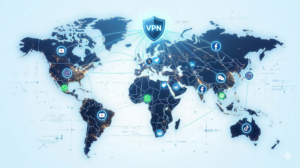
When you open your VPN app, you’re usually faced with a list of server locations — dozens of countries, sometimes hundreds of cities. Does it matter which one you pick? The short answer: yes, more than you might think.
The server location you choose affects your connection speed, your apparent location online, and even how well your VPN protects your privacy. In this guide, we’ll explain why location matters and how to pick the right server for any situation.
This article contains affiliate links.
Why Server Location Matters
Speed and latency
The closer the VPN server is to your physical location, the faster your connection will be. Data has to physically travel between your device and the server, so distance adds latency (delay). Connecting to a server in your own country typically gives you 85-95% of your normal speed, while a server on another continent might drop to 50-70%.
Your apparent location
Websites see the VPN server’s IP address, which means they think you’re browsing from wherever the server is located. This matters for accessing region-specific content, services, and pricing.
Privacy considerations
While a good VPN provider protects your privacy regardless of server location, connecting through servers in different countries can add diversity to your traffic pattern, making it harder for anyone to build a profile of your activity.
How to Choose the Right Server Location
| Your goal | Best server location | Why |
|---|---|---|
| Fastest possible speed | Your own country (nearest city) | Minimum distance = minimum latency |
| Access home services while traveling | Your home country | Appear to be browsing from home |
| Access US-specific services | United States | Get a US IP address |
| Access UK-specific services | United Kingdom | Get a UK IP address |
| Maximum privacy | A different country + Double VPN | Adds jurisdictional diversity |
| Avoid ISP throttling | Any nearby server | Encrypts traffic type from ISP |
The “Quick Connect” option
If you’re not sure which server to pick, most VPN apps have a “Quick Connect” button that automatically selects the fastest available server based on your current location. For everyday browsing, this is usually the best choice.
Server Network Size: Why More Servers = Better Experience
| Benefit of large networks | How it helps you |
|---|---|
| More nearby server options | Higher chance of finding a fast, low-latency server |
| Better load distribution | Users spread across more servers = less congestion |
| More country options | Access content from more regions |
| Redundancy | If one server has issues, plenty of alternatives |
| Provider | Servers | Countries |
|---|---|---|
| NordVPN | 8,900+ | 120+ |
| Surfshark | 3,200+ | 100+ |
| ExpressVPN | 3,000+ | 105 |
| CyberGhost | 11,000+ | 100+ |
Speed Tips: Getting the Most from Your Server Choice
- Start with the nearest server — Always try your own country first for the best speeds
- Check server load — Most VPN apps show current usage percentage; lower is better
- Use a modern protocol — NordLynx or WireGuard can be 2-3x faster than OpenVPN
- Try different cities — If you’re in a large country, a server in a nearby city may be faster than one across the country
- Switch if speeds drop — Server conditions change; if performance dips, try another server
Frequently Asked Questions
Does server location affect security?
Your encryption level stays the same regardless of which server you choose — your data is protected with AES-256 encryption no matter what. The location primarily affects speed and your apparent geographic position online.
Should I always use the nearest server?
For speed, yes — the nearest server is almost always the fastest. The exception is when you specifically need an IP address from another country, in which case you’d pick a server in that country and accept a small speed trade-off.
What if there’s no server in my country?
Choose the geographically closest country available. For example, if there’s no server in your country, a neighboring country’s server will still provide much better speeds than one on another continent. Providers with larger networks (like NordVPN’s 120+ countries) give you more nearby options.
Can websites tell which VPN server I’m using?
Websites can see the IP address of the VPN server, which reveals the server’s country and city. They may also detect that the IP belongs to a VPN provider. However, they cannot see your real IP address or location behind the VPN.
Conclusion
Choosing the right VPN server location is simple: pick the nearest server for speed, or a specific country when you need that region’s IP address. A larger server network gives you more options and better performance across the board.
NordVPN offers the widest choice with 8,900+ servers across 120+ countries, smart auto-selection, and the fast NordLynx protocol — starting at $3.39/month.