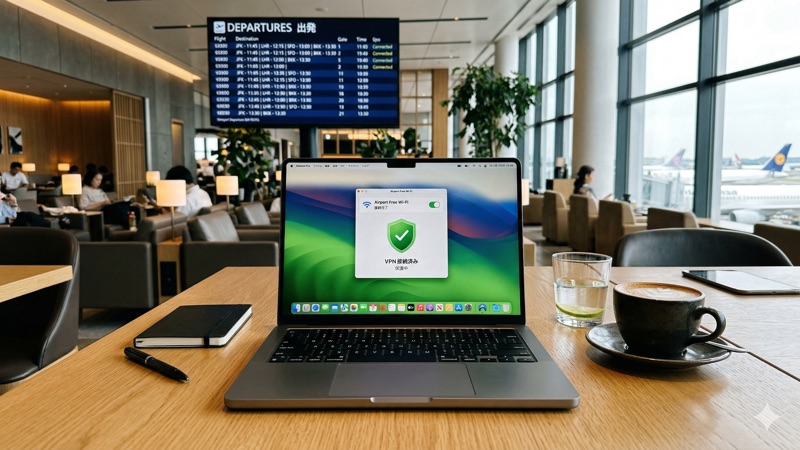
Traveling internationally? Your phone and laptop face security risks you probably don’t think about at home — from sketchy airport Wi-Fi to location-based price discrimination. A VPN is one of the simplest tools to protect yourself abroad.
Here are 10 practical VPN tips that’ll keep you safe and connected on your next trip.
This article contains affiliate links.
Before You Leave
Tip 1: Install and test your VPN before departure
Don’t wait until you’re at the airport. Download your VPN app, create your account, and test the connection on your home Wi-Fi at least a few days before your trip. This gives you time to troubleshoot any issues while you still have a reliable connection.
Tip 2: Install on ALL your devices
Phone, laptop, tablet — every device you’re traveling with needs VPN protection. Most providers allow 5-6+ simultaneous connections on one account. Set up auto-connect on each device so protection kicks in automatically when you join an unfamiliar network.
Tip 3: Save your login credentials somewhere accessible
Store your VPN login details in a password manager or a secure note. If you need to reinstall the app while abroad, you don’t want to be locked out because you can’t remember your password.
While Traveling
Tip 4: Always use VPN on public Wi-Fi
Airport, hotel, café, train station — any public Wi-Fi is a potential risk. These networks are open, and anyone with basic tools can intercept data on them. A VPN encrypts everything, making your data unreadable even on compromised networks.
| Public Wi-Fi location | Risk level | VPN importance |
|---|---|---|
| Airports | High | Essential |
| Hotels | Medium-High | Essential |
| Cafés and restaurants | Medium | Highly recommended |
| Train/bus stations | Medium | Highly recommended |
| Co-working spaces | Medium | Recommended |
Tip 5: Connect to your home country’s server for familiar services
Banking apps, email providers, and some subscriptions may flag “suspicious activity” if they see you logging in from a foreign country. Connecting to a VPN server in your home country makes it look like you’re browsing from home — avoiding account lockouts and security challenges.
Tip 6: Use nearby servers for everyday browsing
For general browsing, email, and social media, connect to a VPN server in the country you’re visiting (or the nearest available one). This gives you the best speeds since data doesn’t have to travel far.
Tip 7: Enable kill switch and auto-connect
These two settings are non-negotiable for travel:
- Kill switch — Cuts your internet if the VPN drops, preventing accidental data exposure
- Auto-connect — Activates VPN automatically when you join any untrusted network
Set these up before your trip and forget about them — they work silently in the background.
Tip 8: Verify Wi-Fi network names carefully
Hackers create fake hotspots with names like “Hotel_WiFi_Free” or “Airport_Official.” Always verify the correct network name with staff before connecting. Even with a VPN, it’s better to connect to the legitimate network first.
Advanced Tips
Tip 9: Use obfuscated servers when needed
Some countries and networks actively detect and block VPN connections. If your VPN won’t connect, try obfuscated servers — they disguise VPN traffic as regular HTTPS browsing, getting through most blocks. NordVPN and several other premium providers offer this feature.
Tip 10: Choose a provider with a large server network
When traveling internationally, you need servers in many countries. A provider with servers in 100+ countries means you’ll almost always find a nearby server wherever you go.
| Provider | Servers | Countries | Fast protocol | Starting price |
|---|---|---|---|---|
| NordVPN | 8,900+ | 120+ | NordLynx | $3.39/mo |
| ExpressVPN | 3,000+ | 105 | Lightway | $2.44/mo |
| Surfshark | 3,200+ | 100+ | WireGuard | $1.99/mo |
Frequently Asked Questions
Should I leave my VPN on the entire trip?
Ideally, yes. With modern protocols like NordLynx, the speed and battery impact is minimal. Keeping your VPN always on means you’re protected even when you forget to connect manually — especially important on unfamiliar networks.
Will a VPN affect my phone’s battery life while traveling?
Modern VPNs typically add only 5-10% extra battery drain. The NordLynx protocol is especially efficient. The security benefit far outweighs the small battery cost, but bring a portable charger just in case.
What if my VPN won’t connect in a foreign country?
Try switching protocols (NordLynx → OpenVPN or vice versa), connect to a different server, or use obfuscated servers if available. If all else fails, use your phone’s mobile data for sensitive tasks instead of public Wi-Fi.
Can I use a VPN to access my home banking while abroad?
Yes — connect to a server in your home country and your bank sees a familiar IP address. This prevents the “suspicious login” alerts that often trigger when you log in from a foreign IP address.
Conclusion
A VPN is one of the most valuable travel tools you can carry — it protects your data on public Wi-Fi, keeps your accounts accessible, and takes up zero space in your luggage. Install it before you leave, enable auto-connect, and enjoy your trip with one less thing to worry about.
NordVPN offers 8,900+ servers across 120+ countries with auto Wi-Fi protection and the fast NordLynx protocol — starting at $3.39/month.