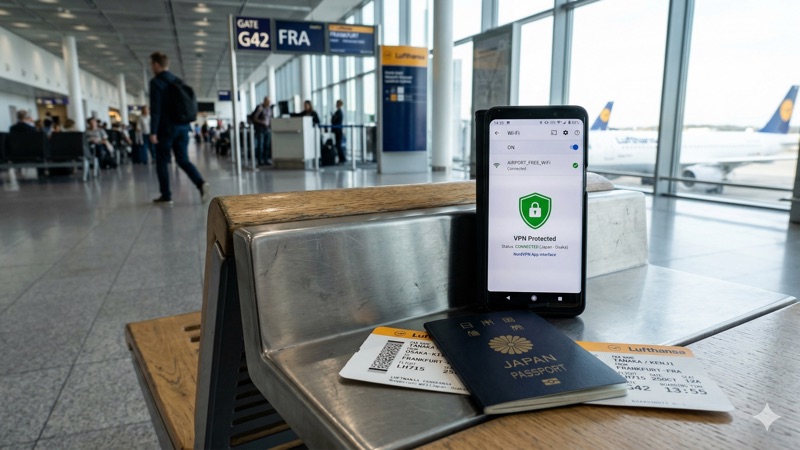
You’re at the airport, waiting for your flight, and you connect to the Wi-Fi to check your email or scroll through social media. Seems harmless, right? Unfortunately, airport Wi-Fi is one of the riskiest places to go online without protection.
The good news: a VPN makes airport Wi-Fi safe to use. Let’s look at what the actual risks are and how to protect yourself.
This article contains affiliate links.
Why Airport Wi-Fi Is Risky
The main threats
| Threat | What happens | How common |
|---|---|---|
| Fake hotspots | Hackers create networks named “Airport_WiFi_Free” to trick you into connecting | Very common |
| Man-in-the-middle attacks | Someone intercepts data between your device and the router | Common |
| Packet sniffing | Attackers capture login credentials and personal data from the network | Common |
| Session hijacking | Your active login sessions (email, social media) get stolen | Moderate |
| Malware injection | Malicious code gets pushed to your device through the network | Less common but serious |
Why airports specifically?
Airport networks are especially vulnerable because they’re open (minimal security), used by thousands of people, and full of travelers who are distracted, in a hurry, and more likely to connect without thinking. Hackers know this — it’s why airports are one of their favorite targets.
How a VPN Protects You
What changes when you turn on a VPN
| Risk | Without VPN | With VPN |
|---|---|---|
| Data interception | ✅ Your data can be read | ❌ Everything encrypted |
| Login credential theft | ✅ Passwords visible on open networks | ❌ Encrypted and unreadable |
| Your real IP exposed | ✅ Visible to everyone on network | ❌ Hidden behind VPN server |
| Browsing activity visible | ✅ Network admin can see everything | ❌ All traffic encrypted |
| Fake hotspot danger | ✅ Full access to your data | ❌ Even on a fake network, data is encrypted |
The key point: a VPN encrypts everything before it leaves your device. Even if someone intercepts your data on a compromised network, all they see is unreadable encrypted traffic.
How to Stay Safe at the Airport: Step by Step
Before you travel
- Install your VPN app on all devices you’re bringing (phone, laptop, tablet)
- Test the connection at home to make sure everything works
- Enable auto-connect so the VPN activates automatically on untrusted networks
- Turn on the kill switch to prevent data leaks if the VPN briefly disconnects
At the airport
- Verify the network name — Check official airport signage for the correct Wi-Fi name
- Connect to VPN first — Activate your VPN before opening any apps or websites
- Verify the connection — Check your VPN app shows “Connected” before doing anything sensitive
- Avoid sensitive tasks without VPN — If your VPN won’t connect, don’t log into banking or email
Best VPNs for Airport Wi-Fi
| Feature | NordVPN | ExpressVPN | Surfshark |
|---|---|---|---|
| Servers | 8,900+ | 3,000+ | 3,200+ |
| Countries | 120+ | 105 | 100+ |
| Auto Wi-Fi protection | ✅ | ✅ | ✅ |
| Kill switch | ✅ | ✅ | ✅ |
| Ad/malware blocker | ✅ CyberSec | Partial | ✅ CleanWeb |
| Simultaneous devices | 6 | 8 | Unlimited |
| Starting price | $3.39/mo | $2.44/mo | $1.99/mo |
NordVPN is our top pick for travel — its auto Wi-Fi protection, CyberSec malware blocking, and massive server network make it ideal for connecting safely at airports worldwide.
Frequently Asked Questions
Do I need a VPN just for checking email at the airport?
Yes. Email transmits login credentials and often contains sensitive information like financial statements and travel confirmations. On an open airport network, this data can be intercepted. A VPN takes seconds to activate and protects everything automatically.
Will a VPN slow down airport Wi-Fi?
Modern VPNs with protocols like NordLynx or WireGuard typically reduce speeds by only 10-20% — barely noticeable for browsing, email, and social media. The slight speed trade-off is worth the security protection.
Can the airport see I’m using a VPN?
Network administrators can detect VPN usage, but they cannot see what you’re doing. All your browsing activity, messages, and data are encrypted. Most airports don’t restrict VPN usage.
Is it safe to do online banking at the airport with a VPN?
With a VPN active, yes — your connection is encrypted and your data is protected from network-based attacks. Just make sure to verify you’re on the real banking website (check the URL) and have your VPN connected before logging in.
What if my VPN won’t connect at the airport?
Try switching to a different server or protocol. Some airport networks block specific VPN ports — switching from NordLynx to OpenVPN (or vice versa) usually resolves the issue. If nothing works, use your phone’s mobile data instead of the airport Wi-Fi for sensitive tasks.
Conclusion
Airport Wi-Fi is convenient but genuinely risky. A VPN is the simplest and most effective way to protect yourself — it encrypts everything, hides your identity, and works even if you accidentally connect to a fake hotspot. Install it before your next trip, enable auto-connect, and you’re protected without having to think about it.
NordVPN provides automatic Wi-Fi protection, CyberSec malware blocking, and 8,900+ servers worldwide — starting at $3.39/month.