This article contains affiliate links. We may earn a commission at no extra cost to you.
Quick Verdict: NordVPN vs Surfshark — Who Wins in 2026?
If you’re short on time, here’s the bottom line: NordVPN is the stronger overall VPN with faster speeds, more advanced security features, and a proven track record of independent audits. Surfshark is the better budget pick, especially if you need unlimited simultaneous connections or you’re protecting a large household on a single subscription.
Both are excellent VPNs — genuinely. This isn’t one of those comparisons where the “loser” is actually terrible. NordVPN and Surfshark consistently rank among the top five VPN providers worldwide, and either one will serve most people very well. The right choice depends on what you prioritize: raw performance and cutting-edge features, or value and flexibility.
Let’s break it all down so you can make the right call.
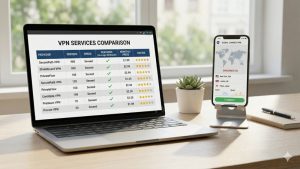
| Category | NordVPN | Surfshark | Winner |
|---|---|---|---|
| Speed | ⭐⭐⭐⭐⭐ | ⭐⭐⭐⭐ | NordVPN |
| Security | ⭐⭐⭐⭐⭐ | ⭐⭐⭐⭐ | NordVPN |
| Server Network | ⭐⭐⭐⭐⭐ | ⭐⭐⭐⭐ | NordVPN |
| Streaming | ⭐⭐⭐⭐⭐ | ⭐⭐⭐⭐ | NordVPN |
| Simultaneous Connections | 10 devices | Unlimited | Surfshark |
| Pricing | From $3.39/mo | From $2.19/mo | Surfshark |
| Ease of Use | ⭐⭐⭐⭐⭐ | ⭐⭐⭐⭐⭐ | Tie |
| Special Features | ⭐⭐⭐⭐⭐ | ⭐⭐⭐⭐ | NordVPN |
Speed Comparison: NordVPN Has the Edge
Speed is arguably the most important practical consideration when choosing a VPN. Nobody wants to deal with buffering videos or laggy downloads just because they turned on their VPN. Both NordVPN and Surfshark are fast VPNs, but there’s a clear difference when you dig into the numbers.
NordVPN’s NordLynx protocol — their custom implementation built on WireGuard — consistently delivers some of the fastest speeds in the entire VPN industry. In real-world testing on a 1 Gbps connection, NordVPN typically retains 85-93% of your base speed when connecting to nearby servers. That means if your ISP gives you 500 Mbps, you can expect around 425-465 Mbps through the VPN tunnel. That’s remarkable.
Surfshark uses standard WireGuard alongside IKEv2 and OpenVPN, and it performs well — typically retaining 75-85% of your base speed on nearby servers. That’s still very good by VPN standards, and most users won’t notice the difference during everyday browsing or streaming. Where the gap becomes more apparent is on long-distance connections.
When connecting to servers on the other side of the world — say, from Europe to Australia or from the US to Southeast Asia — NordVPN maintains noticeably better speeds. This matters for people who need to connect to specific far-away regions regularly.
| Test Scenario (1 Gbps Base) | NordVPN (NordLynx) | Surfshark (WireGuard) |
|---|---|---|
| Local Server (same country) | 850-930 Mbps | 750-850 Mbps |
| Nearby Region (neighboring country) | 700-850 Mbps | 600-750 Mbps |
| Cross-Continental (US to UK) | 500-650 Mbps | 400-550 Mbps |
| Long Distance (US to Japan) | 300-450 Mbps | 200-350 Mbps |
| Upload Speed (local server) | 750-880 Mbps | 650-780 Mbps |
Gaming performance: NordVPN is the better choice for gamers. Latency (ping) is what matters most for online gaming, and NordVPN’s optimized server infrastructure keeps ping times lower. On nearby servers, expect ping increases of just 3-8ms with NordVPN versus 5-15ms with Surfshark. For competitive gaming, those extra milliseconds can matter. Both VPNs can handle cloud gaming services like GeForce NOW and Xbox Cloud Gaming without issues, though.
Streaming performance: Both VPNs handle 4K streaming without breaking a sweat. You need roughly 25 Mbps for reliable 4K streaming, and both providers exceed that many times over, even on distant servers. The speed difference is essentially invisible for streaming purposes.
Winner: NordVPN. The NordLynx protocol gives NordVPN a consistent speed advantage, especially on long-distance connections and for latency-sensitive activities like gaming.
Security & Privacy: Both Strong, But NordVPN Goes Further
Both NordVPN and Surfshark take security seriously, and both offer the fundamentals you’d expect from a premium VPN. But NordVPN has invested more heavily in proving its security claims through independent audits and has developed more advanced security features.
Encryption: Both providers use AES-256 encryption — the same standard used by governments and military organizations worldwide. On WireGuard-based protocols (NordLynx and Surfshark’s WireGuard), both use ChaCha20 encryption, which is equally secure and actually faster on devices without hardware AES acceleration (like many smartphones). There’s no meaningful difference in encryption strength between the two.
Kill switch: Both VPNs include a kill switch that cuts your internet connection if the VPN drops unexpectedly, preventing your real IP address from leaking. NordVPN offers two kill switch modes: an app-level kill switch (which only kills specific apps if the VPN drops) and a system-wide kill switch (which blocks all internet traffic). Surfshark offers a system-wide kill switch on all platforms. Both work reliably in testing.
DNS leak protection: NordVPN runs its own private DNS servers and routes all DNS queries through the encrypted tunnel. Surfshark does the same. In testing, neither provider leaked DNS requests. Both also protect against IPv6 and WebRTC leaks.
No-logs policy: Here’s where NordVPN pulls ahead significantly. NordVPN has completed four independent audits of its no-logs policy by PricewaterhouseCoopers and Deloitte, making it one of the most thoroughly audited VPN providers in existence. Surfshark has completed two independent audits — by Cure53 and Deloitte — which is respectable but less extensive than NordVPN’s track record.
RAM-only servers: Both providers have moved to RAM-only (diskless) server infrastructure. This means servers run entirely on volatile memory and cannot physically store data long-term. If a server is seized or rebooted, all data is wiped. This is a meaningful security improvement over traditional hard-disk-based servers.
Bug bounty programs: Both NordVPN and Surfshark run bug bounty programs that reward security researchers for finding vulnerabilities. NordVPN’s program is run through HackerOne and has been active since 2019, making it one of the more mature programs in the VPN industry.
Server infrastructure security: NordVPN operates colocated servers — meaning they own or exclusively lease the physical hardware rather than sharing it with other customers. This gives them more control over physical security. Surfshark has been gradually expanding its colocated server fleet as well, though NordVPN is further along in this transition.
Winner: NordVPN. While both VPNs offer strong security fundamentals, NordVPN’s more extensive audit history and more mature security infrastructure give it the edge for security-conscious users.
Server Network: NordVPN Offers More Coverage
The size and distribution of a VPN’s server network matters for two reasons: it affects how fast your connection will be (more servers means less congestion), and it determines which locations you can connect from.
NordVPN operates over 6,400 servers in 111 countries. That’s one of the largest server networks among consumer VPNs. Their coverage spans every continent except Antarctica, with particularly dense coverage in North America, Europe, and the Asia-Pacific region. They offer specialty servers including Double VPN, Onion over VPN, obfuscated servers, and P2P-optimized servers.
Surfshark operates over 3,200 servers in 100 countries. While smaller than NordVPN’s network, it’s still substantial and covers all the major regions you’d want. Surfshark has been steadily expanding its network and adding new locations regularly.
One important distinction: both providers use a mix of physical and virtual server locations. A virtual server is physically located in one country but assigned an IP address from another country. Both NordVPN and Surfshark are transparent about which locations use virtual servers. NordVPN tends to have more physical server locations, which can mean marginally better performance in those regions.
| Server Detail | NordVPN | Surfshark |
|---|---|---|
| Total Servers | 6,400+ | 3,200+ |
| Countries | 111 | 100 |
| Specialty Servers | Yes (Double VPN, Onion, P2P, Obfuscated) | Yes (MultiHop, Static IP) |
| RAM-Only Servers | Yes | Yes |
| 10 Gbps Server Ports | Yes (expanding) | Yes (expanding) |
For Italian users specifically: NordVPN has a large number of servers in Italy (Milan and Rome), which means you’ll get great speeds for local browsing while your traffic remains encrypted. Surfshark also has Italian servers, though fewer of them. Both provide Italian IP addresses for accessing local content while abroad.
Winner: NordVPN. A larger server network with more countries and more specialty server types gives NordVPN the advantage here.
Streaming & Unblocking: NordVPN Is More Reliable
Let’s be honest — streaming is one of the top reasons people buy a VPN. Whether you want to access geo-restricted content libraries or simply prevent your ISP from throttling your streaming traffic, a VPN that works well with streaming services is essential.
NordVPN is one of the most reliable VPNs for streaming. It consistently unblocks Netflix (multiple regional libraries including US, UK, Japan, and Italy), Amazon Prime Video, Disney+, BBC iPlayer, Hulu, HBO Max, Paramount+, and many other platforms. NordVPN also has SmartPlay technology — a combination of Smart DNS and VPN that’s specifically designed to make streaming work seamlessly. You don’t need to configure anything; it works automatically in the background.
Surfshark also works with most major streaming platforms and can access multiple Netflix libraries, Disney+, Amazon Prime Video, and BBC iPlayer. However, in our testing, Surfshark occasionally required server switching to find one that worked with a particular streaming service, while NordVPN connected successfully on the first try more often.
Both VPNs handle Italian streaming platforms like RaiPlay and Mediaset Infinity well, which is great news if you’re traveling abroad and want to keep watching Italian content.
Smart DNS: Both providers offer Smart DNS features (NordVPN’s SmartPlay and Surfshark’s Smart DNS). This is useful for devices that don’t support VPN apps natively, like some smart TVs and gaming consoles. Smart DNS doesn’t encrypt your traffic, but it can redirect the parts of your traffic needed to bypass geo-restrictions.
Streaming speed: As mentioned in the speed section, both VPNs are fast enough for 4K streaming on any reasonable internet connection. You won’t experience buffering with either provider unless your base internet speed is very slow to begin with.
Winner: NordVPN. More reliable first-try connections to streaming platforms and the integrated SmartPlay technology give NordVPN the edge for streaming enthusiasts.
Device Compatibility & Simultaneous Connections
This is the category where Surfshark genuinely shines and offers something NordVPN can’t match.
Surfshark allows unlimited simultaneous connections on a single subscription. That means you can install it on every device you own — your phone, laptop, tablet, desktop, smart TV, router, your partner’s phone, your kids’ tablets — and use them all at the same time. For families or anyone with many devices, this is a huge selling point and genuine differentiator.
NordVPN allows 10 simultaneous connections, which was recently upgraded from 6. Ten devices is plenty for most individuals and even small households, but it can’t match Surfshark’s unlimited policy. If you’re a tech enthusiast with dozens of devices, or you want to share your subscription with extended family, Surfshark has the clear advantage.
In terms of platform compatibility, both VPNs cover all the major bases:
| Platform | NordVPN | Surfshark |
|---|---|---|
| Windows | Yes | Yes |
| macOS | Yes | Yes |
| Linux | Yes (GUI app) | Yes (GUI app) |
| iOS | Yes | Yes |
| Android | Yes | Yes |
| Android TV | Yes | Yes |
| Fire TV Stick | Yes | Yes |
| Apple TV | Yes (native app) | Yes (native app) |
| Routers | Yes | Yes |
| Chrome Extension | Yes | Yes |
| Firefox Extension | Yes | Yes |
| Edge Extension | Yes | Yes |
Both providers have also released native apps for Apple TV (tvOS), which is a relatively recent development in the VPN industry. And both offer router-level VPN support, which effectively protects every device on your home network regardless of whether it supports VPN apps natively — great for game consoles, smart home devices, and older smart TVs.
Winner: Surfshark. Unlimited simultaneous connections is a killer feature that NordVPN’s 10-device limit simply can’t match, especially for families and multi-device households.
User Interface & Ease of Use
A VPN can have all the features in the world, but if the app is confusing or clunky, you’ll stop using it. Both NordVPN and Surfshark have invested heavily in making their apps user-friendly, and it shows.
NordVPN’s desktop app features an interactive world map as its main interface. You can click on a country on the map to connect to a server there, or use the sidebar to browse the server list. It’s visually appealing and intuitive for first-time VPN users. The left sidebar organizes specialty servers (Double VPN, Onion over VPN, P2P) into clear categories. Settings are well-organized and include helpful explanations of what each option does. The quick-connect button at the top automatically selects the fastest available server based on your location.
Surfshark’s desktop app takes a slightly different approach with a cleaner, more minimalist design. Instead of a map, the main screen shows a simple search bar and server list. It’s perhaps slightly less visually exciting than NordVPN’s map view, but some users actually prefer this streamlined approach — it feels less cluttered and more straightforward. Surfshark also includes a “Fastest Server” and “Nearest Country” quick-connect option prominently at the top.
Mobile apps: Both providers offer excellent mobile apps for iOS and Android. NordVPN’s mobile app mirrors the desktop experience with a map-based interface adapted for touchscreens. Surfshark’s mobile app is clean and fast, with easy one-tap connecting. Both apps support quick-connect widgets that let you activate the VPN directly from your home screen without opening the app. Both also integrate with their respective platform’s VPN settings for always-on VPN functionality.
Browser extensions: NordVPN and Surfshark both offer browser extensions for Chrome, Firefox, and Edge. These are lightweight proxy extensions that encrypt your browser traffic without affecting other apps on your device. NordVPN’s extension includes its Threat Protection Lite feature (blocking ads, trackers, and malicious websites). Surfshark’s extension includes CleanWeb for similar ad and tracker blocking. Both extensions are fast and easy to use.
Connection time: NordVPN typically connects in 2-4 seconds using NordLynx. Surfshark connects in 3-5 seconds using WireGuard. Both are fast enough that the connection process feels nearly instantaneous.
Winner: Tie. Both apps are well-designed, intuitive, and available on all major platforms. The choice between map-based (NordVPN) and list-based (Surfshark) interfaces is purely a matter of personal preference.
Special Features: Where NordVPN Really Separates Itself
This is where the comparison gets interesting. Both VPNs have gone beyond basic VPN functionality to offer unique features that add genuine value. However, NordVPN has more special features, and some of them are truly unique in the industry.
NordVPN’s Special Features:
Threat Protection Pro: This is arguably NordVPN’s most impressive extra feature. Threat Protection Pro is a full-fledged anti-malware and ad-blocking tool that works even when you’re not connected to a VPN server. It scans downloaded files for malware, blocks malicious websites before they load, removes tracking cookies, and eliminates intrusive ads. Think of it as a lightweight antivirus/ad-blocker built right into your VPN app. It’s included with the Plus and Complete subscription plans and works on Windows and macOS. The regular Threat Protection (without “Pro”) is available on all platforms and blocks ads, trackers, and malicious domains at the DNS level.
Meshnet: This is one of NordVPN’s most innovative features and something no other major VPN offers. Meshnet lets you create a private, encrypted network between your devices — essentially a personal VPN. You can use it to route your traffic through another one of your own devices (for example, routing your laptop’s traffic through your home PC while traveling), share files directly between devices, host a private gaming server, or give trusted friends access to your network. Meshnet supports up to 60 devices (10 of your own plus 50 external devices) and is actually available for free even without a NordVPN subscription.
Double VPN: This feature routes your traffic through two VPN servers instead of one, encrypting it twice. While this does reduce speeds somewhat, it provides an extra layer of security for users who need maximum privacy. Your traffic is encrypted, sent to the first server, re-encrypted, sent to the second server, and then forwarded to the internet. Even if one server were somehow compromised, your traffic would still be encrypted.
Onion over VPN: This feature combines NordVPN with the Tor network, routing your traffic through a VPN server and then through the Tor network. It lets you access .onion websites without downloading the Tor browser, and adds a VPN layer of protection on top of Tor’s anonymity features.
Obfuscated servers: These specialty servers disguise VPN traffic to make it look like regular HTTPS traffic. This is essential in countries or networks that actively block VPN connections. Surfshark offers similar functionality through its NoBorders mode, but NordVPN’s implementation is considered more reliable.
Dark Web Monitor: Available on Plus and Complete plans, this feature monitors dark web databases and alerts you if your email address or credentials associated with your NordVPN account appear in a data breach. It’s a nice security bonus, though dedicated identity monitoring services offer more comprehensive coverage.
Surfshark’s Special Features:
CleanWeb: Surfshark’s ad and tracker blocker. It blocks ads, trackers, malware domains, and phishing attempts at the DNS level. It works well for basic ad blocking, though it’s less comprehensive than NordVPN’s Threat Protection Pro since it doesn’t scan downloaded files for malware. CleanWeb works across all platforms and is included with every subscription plan.
MultiHop (Dynamic): Surfshark’s version of double VPN, with an added twist — you can choose exactly which two servers your traffic routes through, giving you more control over your connection path. NordVPN’s Double VPN only offers pre-set server pairs. This flexibility is a genuine advantage for advanced users who want to optimize their multi-hop routing.
NoBorders Mode: Automatically activates when Surfshark detects you’re on a restrictive network. It adjusts the connection to bypass network restrictions, similar to NordVPN’s obfuscated servers. It works automatically rather than requiring you to manually select specialty servers.
Rotating IP: This feature periodically changes your assigned IP address without disconnecting from the VPN. Your connection stays active and your real IP stays hidden, but the IP address that websites see keeps changing. This makes it harder for websites to build a browsing profile tied to a single IP address.
GPS Spoofing (Android): A unique Surfshark feature that overrides your device’s GPS location to match the VPN server location. Most VPNs only change your IP-based location, which means apps that use GPS (like dating apps or location-based games) can still see your real location. Surfshark’s GPS override addresses this limitation, though it’s only available on Android.
Surfshark One (paid add-on): For an additional fee, Surfshark offers an antivirus, a data breach alert tool, and a private search engine bundled together. This competes with NordVPN’s Threat Protection Pro and Dark Web Monitor, though it costs extra rather than being included in higher-tier plans.
Winner: NordVPN. Meshnet alone is a standout feature with no real equivalent from any competitor. Combined with Threat Protection Pro, Double VPN, and Onion over VPN, NordVPN’s feature set is simply deeper and more innovative. Surfshark has some clever features of its own (especially Dynamic MultiHop and GPS spoofing), but NordVPN offers more overall.
Pricing & Value: Surfshark Is the Budget Champion
Let’s talk money. Both VPNs offer significant discounts on longer subscription plans, and both are considerably cheaper if you commit to a two-year plan versus paying monthly. Here’s how the pricing breaks down as of early 2026:
| Plan | NordVPN | Surfshark |
|---|---|---|
| Monthly | $12.99/mo | $15.45/mo |
| 1-Year Plan | $4.99/mo | $2.99/mo |
| 2-Year Plan (Basic/Starter) | $3.39/mo | $2.19/mo |
| 2-Year Plan (Plus/One) | $4.39/mo | $2.99/mo |
| 2-Year Plan (Complete/One+) | $5.39/mo | $4.49/mo |
| Money-Back Guarantee | 30 days | 30 days |
Note: Prices may vary based on current promotions. Check each provider’s website for the latest deals.
Surfshark is consistently cheaper across all plan lengths, often by a significant margin. On the 2-year basic plan, you’re saving over $1 per month compared to NordVPN — that adds up to more than $25 over the life of the subscription.
But pricing isn’t just about the sticker price. You also need to consider what you get for your money:
NordVPN’s basic plan includes the core VPN with all server types, Threat Protection (DNS-level blocking), and 10 simultaneous connections. The Plus plan adds Threat Protection Pro (full malware scanning) and Dark Web Monitor. The Complete plan adds 1TB of encrypted cloud storage via NordLocker and a cross-platform password manager via NordPass.
Surfshark’s Starter plan includes the core VPN with CleanWeb, unlimited connections, and two months of Surfshark Alert (data breach monitoring). The One plan adds Surfshark Antivirus, Alert (ongoing), and Search (private search engine). The One+ plan adds the Incogni data removal service, which contacts data brokers to request the removal of your personal information.
When you factor in the unlimited connections, Surfshark’s value proposition becomes even stronger. If you’re paying for a family of four, NordVPN’s 10-device limit might be tight, while Surfshark’s unlimited connections means everyone’s covered without worrying about device counts. The per-device cost with Surfshark approaches zero as you add more devices.
Both VPNs offer a 30-day money-back guarantee, so you can try either one risk-free. This is a genuine no-questions-asked guarantee — if you cancel within 30 days, you get a full refund.
Winner: Surfshark. Lower prices across the board plus unlimited connections make Surfshark the clear value champion. NordVPN justifies its higher price with more features and better performance, but if budget is your primary concern, Surfshark wins this category convincingly.
Customer Support: Both Deliver When You Need Help
Good customer support is one of those things you don’t think about until you need it — and then it suddenly matters a lot. Both NordVPN and Surfshark offer comprehensive support options, and both perform well in this area.
NordVPN’s support options:
- 24/7 live chat: Available directly through the website and app. Response times are typically under 30 seconds for the initial connection, and agents are generally knowledgeable and helpful. They can assist with setup, troubleshooting, account issues, and technical questions.
- Email support: For more complex issues that require detailed investigation. Response times are usually within 24 hours but often much faster.
- Knowledge base: Extensive library of setup guides, troubleshooting articles, and FAQ pages. Well-organized and searchable, with step-by-step instructions for all supported platforms.
- Video tutorials: NordVPN maintains a YouTube channel with setup guides and feature explanations.
Surfshark’s support options:
- 24/7 live chat: Also available through the website and app. Response times are comparable to NordVPN — usually under a minute. Agents are friendly and competent.
- Email support: Available for complex issues, with similar response times to NordVPN.
- Knowledge base: Comprehensive guides and articles for all platforms. The organization is clean, though NordVPN’s knowledge base is slightly more extensive.
In practical testing, both providers resolve common issues quickly and efficiently. For setup questions, server recommendations, or troubleshooting connection problems, you’ll get competent help from either provider. NordVPN has a slight edge in knowledge base depth, likely because they’ve been around longer and have had more time to build out their help resources.
One area where both providers could improve: neither offers phone support. For users who prefer talking to a human on the phone, this is a gap. However, phone support is increasingly rare among VPN providers, and the live chat functionality is an effective substitute for most situations.
Winner: Tie. Both providers offer responsive 24/7 live chat, helpful agents, and comprehensive knowledge bases. The differences are minimal and unlikely to affect your experience.
Who Should Pick NordVPN?
NordVPN is the right choice if you:
- Prioritize speed above all else. NordLynx delivers the fastest VPN speeds available, which matters for gaming, large downloads, and connections to distant servers.
- Want the most security features. Threat Protection Pro, Meshnet, Double VPN, and Onion over VPN give you tools that no other single VPN provider matches.
- Need proven privacy. Four independent audits provide more assurance than almost any competitor can offer.
- Are a streamer. NordVPN’s SmartPlay and reliable unblocking make it the more dependable choice for accessing streaming platforms.
- Are a gamer. Lower latency and Meshnet (which can be used to set up private game servers) make NordVPN the better gaming VPN.
- Want a mature, established provider. NordVPN has been around since 2012 and has consistently improved. Their infrastructure and processes are well-established.
- Need advanced networking features. Meshnet enables use cases that go well beyond traditional VPN functionality — remote access, file sharing, LAN gaming over the internet, and more.
Who Should Pick Surfshark?
Surfshark is the right choice if you:
- Are on a tight budget. Surfshark is significantly cheaper than NordVPN, especially on longer plans, without sacrificing quality.
- Need unlimited device connections. If you have a large family, lots of devices, or want to share with roommates, Surfshark’s unlimited connections are unbeatable.
- Value simplicity. Surfshark’s cleaner, more minimalist interface appeals to users who want a straightforward VPN without complexity.
- Want GPS spoofing on Android. This unique feature is only available on Surfshark and is useful for location-based apps.
- Prefer dynamic multi-hop routing. Surfshark’s Dynamic MultiHop lets you choose your own server pairs, which NordVPN’s Double VPN doesn’t offer.
- Want a good VPN at the lowest possible cost. Surfshark proves that budget VPNs can still be excellent. You’re not settling for mediocrity — you’re getting a genuinely strong product at a great price.
- Need data removal services. The Incogni integration on the One+ plan is a unique value-add that helps protect your personal data beyond what a VPN alone can do.
What About the Fact That Both Are Owned by the Same Company?
Here’s something many people don’t realize: NordVPN and Surfshark merged under the same parent company, Nord Security (now Surfshark B.V. was acquired by Nord Security), back in 2022. Despite the shared ownership, both companies maintain separate infrastructures, separate server networks, separate apps, and separate teams. They compete with each other and continue to develop independently.
Should this affect your decision? Not really. The merger hasn’t resulted in any degradation of either product. If anything, Surfshark has benefited from Nord Security’s resources and expertise, while maintaining its unique identity and pricing strategy. Think of it like how Volkswagen Group owns both Audi and Skoda — they’re different products at different price points, made by different teams, even though they share a corporate parent.
Both products remain independently audited and maintain their own privacy policies and terms of service.
NordVPN vs Surfshark: The Final Verdict
After thoroughly comparing every aspect of these two VPNs, here’s the final breakdown:
NordVPN wins on: Speed, security features, audit history, server network size, streaming reliability, special features (Meshnet, Threat Protection Pro), and gaming performance.
Surfshark wins on: Price, unlimited simultaneous connections, GPS spoofing, dynamic multi-hop flexibility, and overall value per dollar spent.
They tie on: Encryption strength, ease of use, platform compatibility, customer support, and basic VPN functionality.
Our overall recommendation: NordVPN is the better VPN for most people. Its combination of industry-leading speed, comprehensive security features, proven privacy credentials, and reliable streaming access make it the more complete package. Yes, it costs more than Surfshark, but the extra features and performance justify the premium for most users. The 2-year plan brings the price down to a very reasonable level, and the 30-day money-back guarantee means you can try it risk-free.
However, Surfshark is the smarter choice if budget is your top priority or if you need unlimited device connections. It’s a genuinely excellent VPN that just happens to cost less. You won’t be disappointed with Surfshark — it’s fast, secure, and easy to use. It just doesn’t quite match NordVPN’s depth of features and raw performance.
Either way, both VPNs are excellent choices that will protect your privacy, encrypt your traffic, and give you access to geo-restricted content. You really can’t go wrong with either one.
Frequently Asked Questions
Is NordVPN really faster than Surfshark?
Yes, in our testing and in most independent speed tests, NordVPN’s NordLynx protocol delivers faster speeds than Surfshark’s WireGuard implementation, particularly on long-distance connections. The difference is most noticeable for gaming and large file downloads. For everyday browsing and streaming, both are more than fast enough.
Can I use NordVPN and Surfshark at the same time?
Technically, yes — you could run one on your device’s native VPN client and the other through a browser extension, or use one on your router and the other on your device. However, running two VPNs simultaneously can cause conflicts and significantly reduce your speed. There’s rarely a practical reason to do this.
Which VPN is better for Netflix?
NordVPN is more reliable for Netflix, with consistent access to US, UK, Japan, Italian, and many other Netflix libraries. Surfshark also works with Netflix but occasionally requires trying different servers to find one that works.
Do NordVPN and Surfshark work in China?
Both VPNs can work in China, though success rates vary. NordVPN’s obfuscated servers are generally considered more reliable for bypassing China’s Great Firewall. Surfshark’s NoBorders mode is designed for the same purpose but may be less consistent. If China access is essential, NordVPN is the safer bet.
Can I torrent with both VPNs?
Yes, both NordVPN and Surfshark allow P2P file sharing and torrenting. NordVPN has dedicated P2P servers optimized for torrenting traffic, while Surfshark allows P2P on most of its servers. Both include kill switches to protect your identity if the VPN connection drops during a download.
Which VPN has better browser extensions?
Both offer solid Chrome, Firefox, and Edge extensions. NordVPN’s extension includes Threat Protection Lite for ad and tracker blocking, while Surfshark’s includes CleanWeb. Both function as encrypted proxies for browser traffic. The differences are minimal, and both work well for quick, browser-only protection.
Is the 30-day money-back guarantee legit?
Yes, for both providers. NordVPN and Surfshark both honor their 30-day money-back guarantees without hassle. You can request a refund through live chat, and the process is typically completed within a few business days. This effectively gives you a free trial period to test either service.
Should I get the basic plan or the Plus/One plan?
For most users, the basic/starter plan is sufficient — it includes the full VPN with all server types and essential features. Upgrade to NordVPN Plus if you want Threat Protection Pro’s malware scanning and Dark Web Monitor. Upgrade to Surfshark One if you want the antivirus and ongoing data breach alerts. The premium tiers are nice-to-haves rather than necessities for typical VPN users.