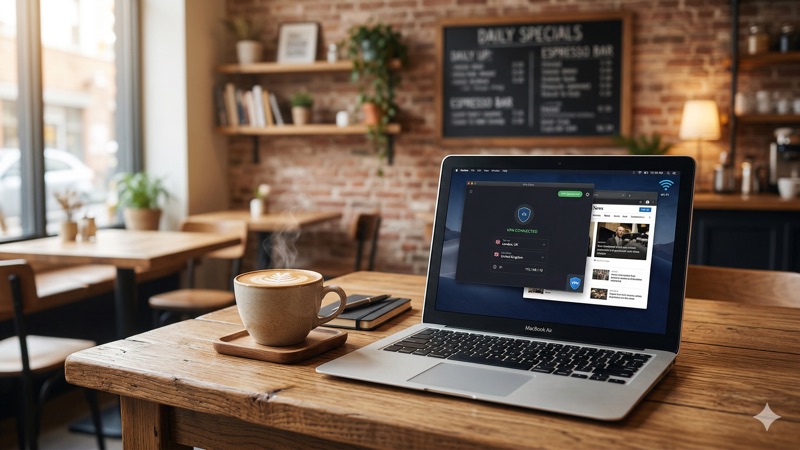
You settle into your favorite corner seat at the coffee shop, order a flat white, and open your laptop. The café’s free Wi-Fi connects instantly — no password required. You check your bank balance, reply to a few work emails, and scroll through social media. It feels completely normal. But here’s the uncomfortable truth: that convenient, open Wi-Fi connection is one of the easiest places for someone to intercept your personal data. Understanding VPN cafe public Wi-Fi security isn’t just for tech enthusiasts — it’s essential knowledge for anyone who regularly works, browses, or banks from a coffee shop.
In this guide, we’ll walk you through exactly what makes café Wi-Fi risky, how a VPN protects you, which VPN providers work best for everyday public Wi-Fi use, and what additional steps you can take to stay safe. No jargon overload, no scare tactics — just clear, practical advice you can act on today.
Why Café Wi-Fi Is Riskier Than You Think
Most people understand, in a vague way, that public Wi-Fi isn’t perfectly safe. But few realize just how straightforward it is for someone with basic tools to exploit an open network. Let’s break down the specific risks.
Open Networks Mean Open Doors
When a café offers Wi-Fi without a password — or with a password printed on a chalkboard for everyone to see — the network traffic is either unencrypted or encrypted with a shared key that every customer has. This means data traveling between your device and the router can potentially be captured by anyone else on the same network.
Think of it like having a conversation in a crowded room. If you’re whispering into someone’s ear (an encrypted, private connection), only they can hear you. If you’re speaking at normal volume (an open Wi-Fi network), anyone nearby can listen in.
Man-in-the-Middle Attacks
A man-in-the-middle (MITM) attack is one of the most common threats on public Wi-Fi. In this scenario, an attacker positions themselves between your device and the Wi-Fi router. When you send data — like a login password or credit card number — it passes through the attacker’s device first. They can read it, copy it, or even alter it before it reaches its destination.
The attacker doesn’t need to be a movie-style hacker in a hoodie. Freely available software tools can automate this process, making it accessible to anyone with a bit of technical curiosity and bad intentions.
Evil Twin Hotspots
An “evil twin” is a fake Wi-Fi network set up to look like the café’s legitimate one. For example, if the real network is called “CoffeeHouse_WiFi,” an attacker might create one called “CoffeeHouse_WiFi_Free” or even an identical name. Your device might connect to it automatically, especially if you’ve connected to similarly named networks before.
Once you’re on the fake network, the attacker controls everything. They can see every website you visit, every form you fill out, and every file you download. You’d have no idea anything was wrong — the internet would appear to work normally.
Packet Sniffing
Packet sniffing refers to the practice of capturing and analyzing the small chunks of data (called “packets”) that travel across a network. On an open Wi-Fi network, specialized software can collect these packets from all connected devices. While modern HTTPS encryption protects much of your web browsing, not every website or app uses it properly. Metadata — such as which websites you visit, when, and how often — can still be visible.
Key Takeaway: Café Wi-Fi networks are inherently vulnerable because they’re shared, often unencrypted, and easy to impersonate. The risks include data interception, fake hotspots, and traffic monitoring. A VPN is the single most effective tool to protect yourself in these environments.
How a VPN Protects You on Café Public Wi-Fi
A VPN — short for Virtual Private Network — creates a secure, encrypted tunnel between your device and a remote server operated by the VPN provider. When you connect to a VPN before using café Wi-Fi, all of your internet traffic is routed through this tunnel. Here’s what that means in practical terms.
Encryption: Scrambling Your Data
When a VPN is active, your data is encrypted before it leaves your device. Even if someone on the same café network intercepts your traffic, all they’ll see is a garbled stream of characters. They can’t read your emails, see your passwords, or access your banking information.
Most reputable VPN providers use AES-256 encryption, which is the same standard used by governments and financial institutions worldwide. It’s considered practically unbreakable with current technology.
Hiding Your Activity from the Network
Without a VPN, the café’s router (and anyone monitoring the network) can see which websites you visit, which apps you use, and how much data you transfer. With a VPN, all they see is a single encrypted connection to the VPN server. Your actual browsing activity — every site, every search, every message — is hidden.
This is particularly important if you’re doing anything sensitive, like logging into your company’s internal systems, accessing medical records, or managing financial accounts.
Protection Against Evil Twins and MITM Attacks
Even if you accidentally connect to a fake hotspot or fall victim to a man-in-the-middle attack, a VPN still protects your data. The encryption happens on your device before any data reaches the network, so the attacker’s position between you and the router is largely neutralized. They can see that you’re using a VPN, but they can’t see what you’re doing through it.
IP Address Masking
A VPN also replaces your real IP address with the IP address of the VPN server. This means websites and online services see the VPN server’s location rather than your actual location in the café. While this isn’t the primary security benefit on public Wi-Fi, it adds an extra layer of privacy by making it harder for anyone to trace your online activity back to you specifically.
VPN Cafe Public Wi-Fi Security: Choosing the Right VPN
Not all VPNs are created equal, and the features that matter most for coffee shop VPN use might differ from what you’d prioritize for streaming or bypassing geographic restrictions. Here’s what to look for, along with a few providers worth considering.
Features That Matter for Public Wi-Fi
- Strong encryption: Look for AES-256 encryption and modern protocols like WireGuard or OpenVPN.
- Automatic Wi-Fi protection: Some VPNs can detect when you connect to an unsecured network and activate protection automatically. This is invaluable if you frequently hop between café networks.
- Kill switch: A kill switch cuts your internet connection if the VPN drops unexpectedly, preventing any unprotected data from leaking onto the public network.
- No-logs policy: A trustworthy VPN provider doesn’t store records of your online activity. Look for providers whose no-logs claims have been independently audited.
- Reliable connection speeds: A VPN that slows your connection to a crawl isn’t practical for everyday use. You should be able to browse, email, and video call without noticeable lag.
- Multiple simultaneous connections: If you carry a laptop, phone, and tablet to the café, you’ll want a VPN that covers all of them at once.
VPN Providers Worth Considering
Here are three well-established VPN providers that perform well for everyday public WiFi security VPN use in 2026:
NordVPN is one of the most widely used VPN services globally. It offers AES-256 encryption, a strict no-logs policy (independently audited multiple times), and an automatic Wi-Fi protection feature called “Auto-connect” that activates the VPN whenever you join an untrusted network. NordVPN supports up to 10 simultaneous connections, so you can protect your laptop, phone, and tablet all at once. Its proprietary NordLynx protocol (based on WireGuard) delivers fast speeds suitable for video calls and large file transfers.
ExpressVPN has long been regarded as a premium option with a focus on speed and reliability. Its Lightway protocol is designed for quick connections and smooth performance, which is exactly what you need when you’re working from a café and don’t want to wait for pages to load. The Pro plan supports up to 14 simultaneous connections, making it a solid choice for people with multiple devices. ExpressVPN’s no-logs policy has also been independently audited and verified.
Surfshark stands out for offering unlimited simultaneous connections on a single subscription. This makes it an excellent value if you have a household full of devices or want to share your subscription with family members. Despite its competitive pricing, Surfshark doesn’t cut corners on security — it uses AES-256 encryption, offers a kill switch, and includes an auto-connect feature for untrusted networks. Its CleanWeb feature also blocks ads and known malicious websites, adding another layer of protection on public networks.
What About Free VPNs?
Free VPNs are tempting, especially if you only use café Wi-Fi occasionally. However, there are important limitations to understand. Most free VPNs in 2026 impose data caps of around 2GB to 10GB per month, which can run out quickly if you’re streaming, downloading files, or attending video meetings.
More importantly, free VPN providers need to fund their operations somehow. Some do this through ads, while others have been found to collect and sell user data — which defeats the entire purpose of using a VPN for privacy. A few free VPNs from reputable paid providers (like Proton VPN’s free tier) are generally trustworthy, but they typically come with server limitations and slower speeds.
For regular café Wi-Fi use, a paid VPN subscription — usually costing just a few dollars per month on a longer plan — is a worthwhile investment in your security.
Step-by-Step: Using a VPN at a Coffee Shop
If you’re new to VPNs, the process is simpler than you might expect. Here’s a straightforward walkthrough.
1. Install the VPN app before you leave home. Download the app from your chosen provider’s official website or your device’s app store. Set up your account and log in while you’re on your trusted home network.
2. Enable auto-connect for untrusted networks. Most VPN apps have a setting that automatically activates the VPN whenever you join a new or unsecured Wi-Fi network. Turn this on — it removes the risk of forgetting to connect manually.
3. Enable the kill switch. In the app’s settings, make sure the kill switch is turned on. This ensures that if the VPN connection drops for any reason, your internet traffic is paused rather than sent unprotected over the café’s network.
4. Connect to the VPN before doing anything online. When you arrive at the café and connect to Wi-Fi, wait for the VPN to establish its connection before opening your browser, email, or any other app. You’ll typically see a “Connected” indicator in the VPN app.
5. Choose a nearby server for the best speed. If the VPN app asks which server to connect to, choose one in your own country or a nearby country. The closer the server, the faster your connection will be. For basic security on public Wi-Fi, you don’t need to connect to a server on the other side of the world.
6. Browse normally. Once the VPN is active, use the internet as you normally would. The encryption happens in the background. You shouldn’t notice much difference in your browsing experience aside from a small icon indicating the VPN is running.
Beyond VPNs: Other Café Wi-Fi Security Tips
A VPN is the most impactful single step you can take, but it works best as part of a broader security approach. Here are additional practices that strengthen your cafe WiFi VPN protection.
Verify the Network Name
Before connecting, ask a staff member for the exact Wi-Fi network name and password. Don’t just pick the strongest signal or the most obvious-sounding name. This simple step can help you avoid evil twin attacks.
Keep Your Software Updated
Operating system updates and app updates frequently include security patches that fix known vulnerabilities. An outdated system is easier to exploit, even through a VPN. Set your devices to update automatically when connected to a trusted network.
Use HTTPS Websites
Look for the padlock icon in your browser’s address bar, which indicates the website uses HTTPS encryption. Most major websites use HTTPS by default in 2026, but some smaller or older sites may not. Avoid entering sensitive information on any site that doesn’t use HTTPS, especially on public Wi-Fi.
Turn Off File Sharing and AirDrop
File-sharing features that are convenient at home can be a vulnerability on public networks. Turn off file sharing, AirDrop (on Apple devices), and Nearby Share (on Android) when you’re connected to café Wi-Fi. These features can allow nearby devices to discover and interact with yours.
Use Two-Factor Authentication (2FA)
Two-factor authentication adds a second layer of protection to your online accounts. Even if someone did manage to capture your password on a public network, they still wouldn’t be able to log in without the second factor — usually a code sent to your phone or generated by an authenticator app. Enable 2FA on all accounts that support it, especially email, banking, and social media.
Forget the Network When You Leave
After you leave the café, tell your device to “forget” the Wi-Fi network. This prevents your device from automatically reconnecting to that network — or a fake network with the same name — in the future without your knowledge.
Quick Security Checklist for Café Wi-Fi:
✅ Connect to your VPN before browsing
✅ Verify the network name with staff
✅ Enable your VPN’s kill switch
✅ Use HTTPS websites
✅ Turn off file sharing and AirDrop
✅ Enable two-factor authentication on important accounts
✅ Forget the network when you leave
Common Myths About Public Wi-Fi Security
There’s a lot of misinformation circulating about café Wi-Fi and VPNs. Let’s address a few common misconceptions.
“HTTPS Makes a VPN Unnecessary”
While HTTPS does encrypt the content of your communication with individual websites, it doesn’t hide which websites you’re visiting. It also doesn’t protect traffic from apps that might not use HTTPS properly. A VPN encrypts all of your internet traffic and hides your browsing activity from the network operator and anyone else monitoring the local network. The two technologies complement each other — neither fully replaces the other.
“I Have Nothing Worth Stealing”
You might think you’re not an interesting target, but attackers on public Wi-Fi aren’t usually targeting specific people. They cast a wide net, collecting whatever data they can from everyone on the network. Email credentials, social media logins, shopping site accounts — all of these have value. Even a compromised email account can be used to reset passwords on other services and build a fuller picture of your identity.
“VPNs Make You Completely Anonymous”
It’s important to be honest about VPN limitations. A VPN significantly improves your privacy and security on public Wi-Fi, but it doesn’t make you invisible online. Your VPN provider can theoretically see your traffic (which is why a no-logs policy matters), and websites can still track you through cookies, browser fingerprinting, and account logins. A VPN is a powerful layer of protection, not a magic cloak.
A Note on Legal Considerations
VPN use is legal in most countries, but laws vary. In the vast majority of places — including the United States, the United Kingdom, Canada, Australia, and across the European Union — using a VPN is perfectly legal and common. In the UAE, for example, VPN use is legal for all users for lawful purposes; the issue is not VPN use itself, but using a VPN to access prohibited content.
Some countries restrict or ban VPN use entirely. If you’re traveling, it’s worth checking the local regulations before relying on a VPN. This article is not legal advice, and laws can change — when in doubt, consult a local legal professional.
Frequently Asked Questions About VPN Cafe Public Wi-Fi Security
Does a VPN slow down my internet at a coffee shop?
A VPN adds a small amount of overhead because your data is being encrypted and routed through an additional server. In practice, with a quality VPN provider and a nearby server, the slowdown is usually minimal — often just 5-15% of your base speed. For browsing, email, and most video calls, you’re unlikely to notice a meaningful difference. If the café’s Wi-Fi is already slow, the VPN won’t make it noticeably worse, but it also can’t make it faster.
Should I use a VPN on my phone as well as my laptop?
Yes. Your phone transmits just as much sensitive data as your laptop — emails, messages, banking apps, social media, and more. If your phone is connected to café Wi-Fi, it needs the same protection. Most VPN providers offer apps for iOS and Android, and your subscription typically covers multiple devices. NordVPN supports up to 10 connections, ExpressVPN’s Pro plan supports up to 14, and Surfshark allows unlimited devices.
Is it safe to do online banking on café Wi-Fi with a VPN?
Using a VPN significantly reduces the risk of someone intercepting your banking data on public Wi-Fi. Combined with your bank’s own HTTPS encryption and two-factor authentication, you’re well-protected. That said, no security measure is absolute. If you’re handling very sensitive financial transactions — like transferring large sums — you might prefer to wait until you’re on a trusted private network, or use your phone’s mobile data instead of the café’s Wi-Fi.
Can the café owner see what I’m doing if I use a VPN?
No. When your VPN is active, the café’s network — including the owner, the router, and any monitoring software — can only see that you’re connected to a VPN server. They cannot see which websites you visit, what data you send or receive, or what apps you use. They’ll see a single encrypted connection, and that’s it.
What if I forget to turn on my VPN at the café?
This is why the auto-connect feature is so valuable. Most VPN apps let you set a rule that automatically activates the VPN whenever you join an unsecured or unfamiliar Wi-Fi network. If you enable this feature, you don’t have to remember — the VPN handles it for you. Also make sure the kill switch is enabled, so that even if the VPN connection drops momentarily, your unprotected data won’t be exposed.
Are wired connections at cafés safer than Wi-Fi?
Wired connections (Ethernet) are somewhat harder to intercept than Wi-Fi because an attacker would need physical access to the network cable or the router. However, they’re not immune to threats. The network could still be monitored by the café operator or compromised by malware on the router. Using a VPN is good practice on any network you don’t control, whether wired or wireless.
Stay Safe, Stay Connected: Your Next Step for VPN Cafe Public Wi-Fi Security
Café Wi-Fi is one of the small conveniences that makes modern life easier — but it comes with real risks that most people underestimate. The good news is that protecting yourself doesn’t require technical expertise or expensive tools. A reliable VPN, combined with a few smart habits like verifying network names, enabling two-factor authentication, and keeping your software updated, gives you a strong foundation for VPN cafe public Wi-Fi security.
Whether you choose NordVPN, ExpressVPN, Surfshark, or another reputable provider, the important thing is to make it part of your routine. Install the app, enable auto-connect, turn on the kill switch, and let it work quietly in the background while you enjoy your coffee.
Your privacy is worth more than the price of a latte. Take a few minutes today to set up your VPN, and the next time you open your laptop at a coffee shop, you’ll know your data is protected.
Ready to choose the right VPN for your needs? Read our comprehensive guide: Best VPNs for Public Wi-Fi in 2026 — Full Comparison and Reviews.
“`