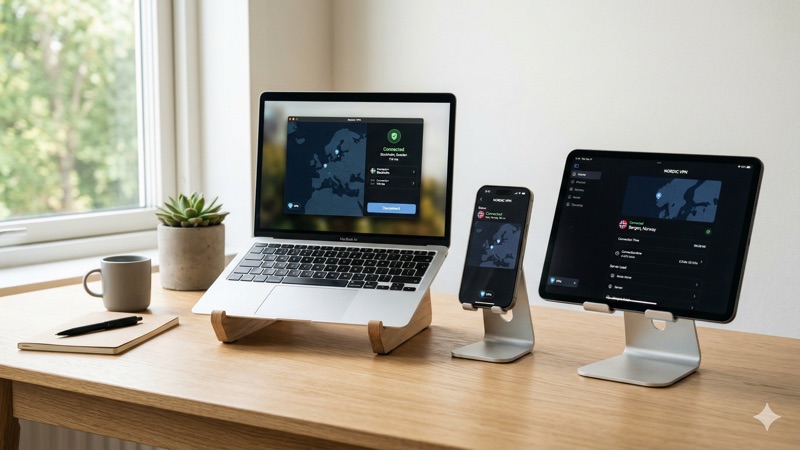
Best VPNs for Multiple Devices & Simultaneous Connections in 2026
Picture this: you’re streaming a movie on your laptop in the living room. Your partner is working from the home office on a company tablet. Your teenager is gaming on a desktop upstairs, and your phone is quietly syncing emails in your pocket. That’s four devices running at once — and that’s just a quiet Tuesday evening. If you want a VPN to protect all of them, you need a provider that supports VPN multiple devices at the same time without forcing you to constantly connect and disconnect. The good news is that in 2026, several top VPN providers make this remarkably easy.
In this guide, we’ll explain why simultaneous connections matter, break down exactly how many devices the leading providers support, and help you choose the best multi-device VPN for your household. Whether you’re a solo user with a handful of gadgets or a family of five with devices in every room, you’ll find a practical recommendation here.
Why VPN Simultaneous Connections Matter More Than Ever
A decade ago, most households had a laptop and maybe a smartphone. Today, the average household has a much wider range of connected devices — laptops, smartphones, tablets, smart TVs, gaming consoles, and even smart home gadgets. Each one of these devices connects to the internet, and each one is a potential entry point for tracking, data collection, or security threats.
When a VPN provider advertises “simultaneous connections,” they mean the number of devices that can be connected to the VPN at the same time under a single subscription. If your VPN allows five simultaneous connections but you have seven devices, two of them will be unprotected at any given time — unless you disconnect something first.
This is why the number of VPN simultaneous connections has become one of the most important factors when choosing a provider. It directly affects whether you can protect your entire digital life — or just part of it.
The Real-World Impact of Device Limits
Let’s say you subscribe to a VPN that allows only five connections. You set it up on your phone, your work laptop, your personal laptop, your tablet, and your smart TV. That’s five. Now your partner wants to use it on their phone. You’re out of slots. Someone has to disconnect, or you need a second subscription.
This isn’t a hypothetical problem — it’s one of the most common frustrations VPN users report. It’s especially painful for families, households with roommates, or anyone who simply owns more than a handful of devices. Choosing a VPN with generous or unlimited simultaneous connections solves this problem entirely.
How Many Devices Do You Actually Need to Protect?
Before diving into provider comparisons, it’s worth taking a quick inventory. Most people underestimate how many devices they actively use. Here’s a common breakdown for a two-person household:
- Smartphones: 2 (one per person)
- Laptops or desktops: 2-3
- Tablets: 1-2
- Smart TV or streaming stick: 1-2
- Gaming console: 1
That adds up to 7-10 devices without even trying. A family with children could easily reach 12-15 devices. Knowing your number helps you pick the right plan instead of outgrowing it within a week of subscribing.
Best VPNs for Multiple Devices in 2026: Provider Breakdown
Not all VPNs are created equal when it comes to multi-device support. Some cap you at a handful of connections, while others let you connect as many devices as you own. Below, we compare three of the most popular providers and their current device limits.
NordVPN: 10 Simultaneous Connections
NordVPN supports up to 10 simultaneous connections on a single subscription. For most individuals and even small households, this is more than enough. You can protect your phone, laptop, tablet, smart TV, and still have slots left over for a partner or family member.
NordVPN is widely regarded as one of the most reliable and secure VPN providers on the market. It offers a large server network spanning dozens of countries, strong encryption protocols, and consistent speeds that hold up well for streaming, browsing, and file downloads. The apps are available for Windows, macOS, Linux, Android, iOS, Android TV, and most major browsers.
Ten connections is a solid middle ground. It’s generous enough for a couple or a small family without requiring any workarounds. If you find yourself needing more, NordVPN also supports router-level installation, which we’ll cover later in this article.
ExpressVPN Pro: Up to 14 Simultaneous Connections
ExpressVPN’s Pro plan supports up to 14 simultaneous connections, making it one of the more generous options among premium providers. This is particularly useful for larger households or users who have both personal and work devices they want to protect.
ExpressVPN has long been known for its polished apps, ease of use, and fast server speeds. It works across a wide range of platforms, including Windows, macOS, Linux, iOS, Android, routers, smart TVs, and gaming consoles. The interface is beginner-friendly, which makes it a good choice if not everyone in your household is technically inclined.
With 14 device slots, a family of four could each have three to four devices connected simultaneously without running into limits. That’s enough headroom for most real-world scenarios without needing to think about it.
Surfshark: Unlimited Simultaneous Connections
Surfshark takes a different approach entirely: it offers unlimited simultaneous connections. There is no cap. You can install it on every device you own, share it with every family member, and never worry about hitting a limit.
This makes Surfshark an especially attractive option for larger families, shared households, or anyone who simply doesn’t want to count devices. It’s also a popular choice for people who want to set up VPN protection on less common devices — like a secondary router, a media server, or a guest network — without sacrificing a connection slot for their phone or laptop.
Surfshark’s apps are available for all major platforms, and the provider has steadily improved its speeds and server network over the past few years. It’s typically priced competitively, which adds to its appeal for budget-conscious users who need to cover many devices.
VPN Multiple Devices: Quick Comparison Table
Here’s a side-by-side look at how the three providers stack up on device support:
- NordVPN: 10 simultaneous connections — great for individuals and small households
- ExpressVPN Pro: 14 simultaneous connections — ideal for larger households or power users
- Surfshark: Unlimited simultaneous connections — best for families, shared homes, and anyone who doesn’t want device limits
All three providers offer strong encryption, no-logs policies, and apps for most major platforms. The right choice depends on how many devices you need to cover and what other features matter most to you.
Best VPN for Families and Shared Households
If you’re looking for a VPN for all devices in a busy household, the number of simultaneous connections should be near the top of your priority list. Here’s how to think about it based on your situation.
Solo Users or Couples
If it’s just you, or you and a partner, any of the three providers above will serve you well. NordVPN’s 10-device limit is more than enough for two people, even if you both have multiple gadgets. You’ll likely never hit the cap.
Families with Children
Families with kids tend to accumulate devices quickly — school tablets, gaming consoles, smartphones. A provider like ExpressVPN Pro with 14 connections gives you comfortable breathing room. If your family is particularly device-heavy, Surfshark’s unlimited connections mean you’ll never have to think about it.
Shared Houses or Roommates
Living with roommates who want to split the cost of a VPN subscription? Surfshark is the obvious choice here. With unlimited connections, everyone in the house can use it on all their devices without anyone needing to compromise. Just keep in mind that sharing a single VPN account means everyone uses the same account credentials, so this works best in trusted living situations.
The Router Trick: Protect All Devices with One Connection
There’s another way to extend your VPN coverage regardless of your provider’s device limit: install the VPN directly on your router. When you do this, every device that connects to your home Wi-Fi is automatically routed through the VPN. And it only counts as one connection toward your limit.
This means that even a VPN with a modest device cap can effectively cover dozens of devices — as long as they’re all on your home network. It’s an especially useful approach for smart TVs, gaming consoles, and IoT devices that don’t have native VPN apps.
Things to Keep in Mind with Router Installation
While the router approach is powerful, it does come with some trade-offs worth understanding:
- Setup complexity: Installing a VPN on a router is more technical than installing an app on your phone. Most providers offer step-by-step guides, but it helps to be comfortable with basic router settings.
- Router compatibility: Not all routers support VPN installation. You may need a specific model or custom firmware like DD-WRT or OpenWrt.
- Speed considerations: Consumer routers have less processing power than your laptop or phone. Encrypting and decrypting all your traffic at the router level can sometimes reduce speeds, especially on older hardware.
- Less flexibility: When the VPN is on the router, every device on the network uses the same VPN server. You can’t easily have one device connected to a UK server and another to a US server at the same time.
For many users, a combination approach works best: install the VPN on the router for always-on baseline protection, and use the native apps on key devices when you need to connect to specific server locations.
What About Free VPNs for Multiple Devices?
It’s natural to wonder whether a free VPN can cover all your devices. The short answer is: probably not very well.
Most free VPNs in 2026 come with significant limitations. Data caps of 2GB to 10GB per month are standard, and many free plans restrict you to just one or two simultaneous connections. That means even if the free VPN has decent privacy practices, you’ll run out of data quickly — especially if you’re trying to cover multiple devices.
There are also privacy concerns with some free VPN providers. If a service is free, the provider needs to generate revenue somehow. In some cases, that means collecting and selling user data, inserting ads, or offering a degraded experience to push you toward a paid plan. This isn’t true of every free VPN — some reputable providers offer limited free tiers as a genuine introduction to their service — but it’s important to be cautious.
If you need a multi-device VPN for regular, everyday use, a paid subscription from a trusted provider is almost always the better choice. The cost is typically modest (especially on annual or multi-year plans), and the difference in speed, data allowance, and device support is substantial.
VPN for All Devices: Platform Compatibility Matters
Having a high device limit is only useful if the VPN actually works on the devices you own. Before committing to a provider, check that it supports all the platforms in your household. Here’s what to look for:
- Desktop: Windows, macOS, and Linux apps
- Mobile: Android and iOS apps
- Browsers: Chrome, Firefox, and Edge extensions
- Streaming devices: Smart TV apps (Android TV, Apple TV, Fire TV Stick)
- Gaming consoles: PlayStation, Xbox (usually via router or Smart DNS)
- Routers: Native firmware support or compatibility with DD-WRT/OpenWrt
NordVPN, ExpressVPN, and Surfshark all offer broad platform support. However, the specific features available on each platform can vary. For example, a VPN’s mobile app might not include every feature available on the desktop version. It’s worth checking the provider’s website for platform-specific details before subscribing.
Does Using a VPN on Multiple Devices Slow Down Your Internet?
This is one of the most common concerns people have about VPN multiple devices setups, and it’s a fair question. The honest answer is: it depends, but usually not in a way you’ll notice.
A VPN encrypts your internet traffic and routes it through a remote server. This process adds a small amount of overhead, which can slightly reduce your speeds. With a quality provider and a nearby server, the speed reduction is typically modest — often around 10-20% compared to your unprotected connection.
Running the VPN on multiple devices at the same time doesn’t compound this slowdown in the way you might expect. Each device connects to the VPN server independently. The main bottleneck is usually your home internet speed, not the VPN itself. If you have a fast broadband connection, you’re unlikely to notice any difference even with several devices connected simultaneously.
That said, if you have a slower internet connection or you’re doing something bandwidth-intensive (like streaming 4K video on multiple devices at once), you might notice some impact. In those cases, connecting to a VPN server that’s geographically closer to you can help minimize speed loss.
A Note on VPN Legality
VPN use is legal in most countries around the world, but laws and regulations vary. In places like the United States, Canada, the United Kingdom, and most of Europe, using a VPN is perfectly legal and common.
Some countries have more nuanced rules. In the UAE, for example, VPN use is legal for all users for lawful purposes. The issue is not VPN use itself, but using a VPN to access prohibited content or engage in illegal activity. Other countries may have stricter regulations around VPN usage.
It’s always a good idea to familiarize yourself with the local laws wherever you are. A VPN is a privacy and security tool, and using it responsibly and lawfully is the best practice regardless of where you live.
Tips for Managing a VPN Across Multiple Devices
Once you’ve chosen a provider and set up your VPN on all your devices, a few simple habits will help you get the most out of it:
- Enable auto-connect: Most VPN apps let you turn on the VPN automatically whenever you connect to the internet. This ensures you’re always protected without having to remember to toggle it on.
- Use the kill switch: A kill switch cuts your internet connection if the VPN drops unexpectedly. This prevents your real IP address from being exposed. Make sure it’s enabled on all your devices.
- Choose the right server: For everyday browsing, connect to a server near your physical location for the best speeds. Only connect to a distant server when you have a specific reason to.
- Keep apps updated: VPN providers regularly release updates that include security patches, performance improvements, and new features. Keep your apps current on all devices.
- Review your connected devices: Most VPN providers let you see which devices are currently connected. Check this periodically to make sure you recognize all of them.
VPN Multiple Devices: Choosing the Right Provider for You
At the end of the day, the best VPN for multiple devices is the one that matches your specific needs. Here’s a simple framework to guide your decision:
- If you’re a solo user or a couple with up to 10 devices, NordVPN’s 10-connection limit offers a strong balance of security, speed, and simplicity.
- If you’re a larger family or a power user with many devices, ExpressVPN Pro’s 14-connection allowance gives you ample room.
- If you never want to think about device limits — whether you’re in a large household, sharing with roommates, or just want the freedom to add devices without counting — Surfshark’s unlimited connections are hard to beat.
All three are reputable, well-established providers with strong track records on privacy and performance. You can’t go wrong with any of them — the differences come down to how many devices you need to cover, your budget, and which app experience you prefer.
Frequently Asked Questions
What does “simultaneous connections” mean for a VPN?
Simultaneous connections refers to the number of devices that can be actively connected to the VPN at the same time under one subscription. If your VPN allows 10 simultaneous connections, you can have 10 devices protected at once. You can install the VPN on more devices than this limit — you just can’t have them all connected at the same moment.
Can I install a VPN on more devices than my connection limit allows?
Yes, in most cases. The limit applies to how many devices can be connected at the same time, not how many devices have the app installed. For example, with NordVPN’s 10-device limit, you could install the app on 15 devices but only use 10 of them simultaneously.
Is Surfshark really unlimited, or is there a hidden cap?
As of 2026, Surfshark genuinely offers unlimited simultaneous connections with no hidden device cap. You can connect as many devices as you want at the same time on a single subscription. This has been one of Surfshark’s core selling points and remains in effect.
Will using a VPN on all my devices slow down my internet?
Each device’s VPN connection is independent, so running the VPN on multiple devices doesn’t create a cumulative slowdown from the VPN side. The main limiting factor is your home internet bandwidth. With a decent broadband connection and a quality VPN provider, most users won’t notice a significant speed difference even with several devices connected.
Can I set up a VPN on my router to cover all devices at once?
Yes, many VPN providers support router installation. When configured on your router, every device on your home network is automatically protected, and it counts as only one connection toward your device limit. This is a good option for devices that don’t have native VPN apps, like some smart TVs and IoT devices. However, setup is more technical, and not all routers are compatible.
Are free VPNs good enough for protecting multiple devices?
Most free VPNs have strict data caps (typically 2GB to 10GB per month) and limit you to one or two simultaneous connections. This makes them impractical for covering multiple devices with regular use. If you need a multi-device VPN for daily browsing, streaming, or work, a paid provider will offer a far better experience in terms of speed, data, security, and device support.
Conclusion: Protect Every Device Without Compromise
In a world where the average person uses multiple connected devices every day, choosing a VPN that supports VPN multiple devices simultaneously isn’t a luxury — it’s a practical necessity. Whether you go with NordVPN’s solid 10-device limit, ExpressVPN Pro’s generous 14-connection allowance, or Surfshark’s unlimited approach, the key is making sure every device in your life is covered.
Take a few minutes to count the devices in your household, think about who else might use the VPN, and pick the provider that gives you enough headroom to grow. A good multi-device VPN keeps your entire digital life protected — without making you choose which devices deserve privacy and which ones don’t.
Want to learn more about setting up your VPN for the best performance? Check out our guide on how to optimize your VPN speed on any device.