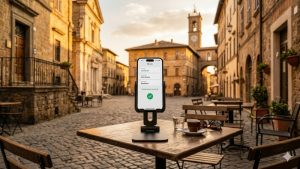
You have just checked into your hotel after a long flight. You drop your bags, connect to the hotel Wi-Fi, and within minutes you are checking your bank balance, scrolling through work emails, and booking a restaurant for dinner. It feels completely normal — and that is exactly the problem. Hotel Wi-Fi is one of the most vulnerable networks you will ever connect to, and without protection, everything you do online could be visible to people you would never want watching. In this guide, we will explain exactly why hotel networks are so risky, how a VPN (Virtual Private Network — a tool that encrypts your internet connection) protects you, and how to set one up before your next trip.
This article contains affiliate links.
What Makes Hotel Wi-Fi So Dangerous?
Hundreds of strangers sharing one network
When you connect to your hotel’s Wi-Fi, you are sharing a network with every other guest in the building — potentially dozens or hundreds of people at any given time. Unlike your home network, where you know and trust every connected device, a hotel network is filled with unknown users. Some of those users might not have good intentions. An attacker sitting in the lobby with a laptop can use freely available software to monitor unencrypted traffic (data that is not scrambled for protection) on the same network. Security researchers have repeatedly demonstrated how easy it is to intercept data on shared public networks, and hotels are among the most commonly targeted locations.
Weak or nonexistent encryption
Many hotels use open networks with no password at all, or they use a single shared password that is printed on a card at the front desk and has not been changed in months. Either way, the encryption protecting data on these networks is minimal or effectively useless. When a network uses a shared password, any user who knows that password can potentially decrypt other users’ traffic. A password that every guest in the hotel knows is not real security — it is an illusion of security. This is fundamentally different from your home Wi-Fi, where the password is known only to people you trust.
Outdated network equipment
Hotels are in the hospitality business, not the cybersecurity business. Many properties — especially smaller or budget hotels — run networking equipment that has not been updated in years. Outdated routers (the devices that manage your Wi-Fi connection) and access points may have known security vulnerabilities that have long been fixed in newer software updates, but nobody on the hotel staff has the expertise or motivation to apply those updates. This means the network infrastructure itself can be a weak point, even before you consider the behavior of other users on it.
Evil twin attacks
One of the most insidious threats in hotel environments is the “evil twin” attack. Here is how it works: an attacker sets up a fake Wi-Fi hotspot with a name that looks just like the hotel’s legitimate network. Instead of “Hilton_Guest,” they might create “Hilton_Guest_Free” or even an identical name. When you connect to this fake network, all of your internet traffic passes through the attacker’s device first. They can see everything you are doing, capture login credentials, and even modify the web pages you see. The frightening part is that you would never know the difference — the internet works just fine, it is just being watched.
What Is Actually at Risk on Hotel Wi-Fi?
Login credentials and passwords
If you log into any account on an unprotected hotel network, your username and password could be captured. While most major websites now use HTTPS encryption (a security protocol indicated by the padlock icon in your browser’s address bar, which encrypts data between your browser and the website), not every site does. And even with HTTPS, sophisticated attackers can sometimes use techniques to downgrade your connection to an unencrypted version. Once an attacker has your login credentials, they can access your accounts, change your passwords, and lock you out.
Financial information
Checking your bank balance, making an online purchase, or logging into a financial app on hotel Wi-Fi exposes some of your most sensitive data. Banking apps and financial websites do use their own encryption, but if your device’s DNS queries (the requests your device makes to translate website names like “yourbank.com” into IP addresses) are not encrypted, an attacker can see which financial services you use, when you access them, and how often. This metadata alone can be valuable for targeted attacks — an attacker who knows your bank and email address has a strong starting point for phishing attempts (fake emails or messages designed to trick you into revealing more information).
Work emails and business data
Business travelers are especially attractive targets on hotel Wi-Fi. Corporate email conversations, confidential documents, client information, and internal system access — all of this data travels over the network when you work from your hotel room. A single intercepted email or stolen login credential could give an attacker access to your company’s entire network. The consequences can range from embarrassing data leaks to significant financial losses and damage to your company’s reputation.
Personal browsing and private data
Even if you are not doing anything sensitive by your own standards, your browsing activity reveals a lot about you. The websites you visit, the searches you make, and the apps you use paint a detailed picture of your interests, habits, health concerns, and personal life. On an unprotected hotel network, anyone monitoring the traffic can build this profile. This data can be used for targeted advertising, identity theft, or social engineering attacks (manipulating people by exploiting the personal information gathered about them).
How a VPN Protects You on Hotel Wi-Fi
Encryption: Making your data unreadable
A VPN creates an encrypted tunnel between your device and a secure VPN server. “Encrypted” means your data is scrambled using a complex mathematical process so that only your device and the VPN server can read it. When you connect to a VPN on hotel Wi-Fi, all of your internet traffic — every website you visit, every email you send, every app that connects to the internet — is encrypted before it leaves your device. Even if someone on the same network intercepts your data packets, all they see is meaningless scrambled text. NordVPN uses AES-256 encryption, which is the same standard used by governments and military organizations worldwide. With current technology, it would take billions of years to crack this encryption by brute force.
IP address masking: Hiding your identity
Without a VPN, every website and service you connect to can see your IP address (a unique number assigned to your device on the network, similar to a home address for your internet connection). This IP address reveals your approximate location and can be used to identify and track you across different websites. When you are connected to NordVPN, websites see the VPN server’s IP address instead of your hotel room’s IP address. This makes it much harder for anyone — from advertisers to attackers — to track your online activity back to you.
DNS leak protection: Closing the hidden loophole
Every time you type a website address into your browser, your device sends a DNS query (a request to translate “google.com” into the numerical IP address that computers actually use to find websites). Without VPN protection, these DNS queries often go to your ISP’s DNS servers or the hotel network’s DNS servers — revealing every website you visit even if the content itself is encrypted. NordVPN routes all DNS queries through its own private, encrypted DNS servers, ensuring that no one — not the hotel network, not your ISP, not anyone — can see which websites you are visiting.
Kill Switch: Protection even when the VPN drops
No internet connection is perfectly stable, and VPN connections can occasionally drop due to network interruptions, server issues, or signal fluctuations. Without a Kill Switch, a momentary VPN disconnection would briefly expose your real IP address and send your traffic unencrypted over the hotel’s unsecured network. NordVPN’s Kill Switch prevents this by instantly blocking all internet traffic the moment the VPN connection drops. Your device simply stops communicating until the VPN reconnects — which typically happens within seconds — ensuring zero data leaks during the interruption.
How to Set Up a VPN for Hotel Wi-Fi
Before your trip: Download and configure
The most important thing is to set up your VPN before you travel, not when you are already sitting in the hotel room. Download and install NordVPN on all the devices you plan to bring — your laptop, phone, and tablet. Sign in, run a test connection to make sure everything works, and configure the essential settings: set the protocol to NordLynx (NordVPN’s fastest protocol, which is built on the modern WireGuard framework for excellent speed and security), enable auto-connect so the VPN activates automatically whenever you join a Wi-Fi network, and turn on the Kill Switch to prevent data leaks if the VPN briefly disconnects.
At the hotel: Connect before you browse
When you arrive at your hotel, the most critical step is connecting to the VPN immediately after connecting to the Wi-Fi — before you open any apps, check any websites, or do anything online. If you configured auto-connect during setup, NordVPN will do this automatically the moment your device joins the hotel network. If not, open the NordVPN app and tap Quick Connect before opening your browser or any other app. This ensures that from the very first data packet your device sends, everything is encrypted and protected.
Choosing the right server
For general security and privacy on hotel Wi-Fi, the Quick Connect button is the best choice — it automatically selects the fastest available server based on your location. If you need to access services from your home country (like your streaming subscriptions or banking apps), manually select a server in your home country. For the best speed performance, choose a server that is geographically close to the hotel — if you are staying in Paris, a server in France or a neighboring country like Germany or the Netherlands will give you better speeds than a server on another continent.
| Situation | Recommended Server | Why |
|---|---|---|
| General browsing and security | Quick Connect (nearest server) | Fastest speeds, lowest latency |
| Accessing home streaming services | Server in your home country | Services see your home country IP |
| Online banking | Server in your home country | Avoids triggering fraud alerts |
| Work and business tasks | Server near your company’s office | Best performance for company resources |
| Maximum privacy | Double VPN server | Traffic encrypted through two servers |
VPN Features That Matter Most for Hotel Wi-Fi
Feature comparison for travelers
| Feature | NordVPN | ExpressVPN | Surfshark |
|---|---|---|---|
| Encryption standard | AES-256 (NordLynx/WireGuard) | AES-256 (Lightway) | AES-256 (WireGuard) |
| Kill Switch | ✅ (all platforms) | ✅ (all platforms) | ✅ (all platforms) |
| Auto-connect on Wi-Fi | ✅ | ✅ | ✅ |
| DNS leak protection | ✅ (private DNS servers) | ✅ | ✅ |
| Threat Protection (ad/malware blocking) | ✅ Threat Protection Pro | ❌ | ✅ CleanWeb |
| Servers worldwide | 6,400+ in 111 countries | 3,000+ in 105 countries | 3,200+ in 100 countries |
| Simultaneous devices | 6 | 8 | Unlimited |
| Price (2-year plan) | $3.39/month | $8.32/month | $1.99/month |
| Money-back guarantee | 30 days | 30 days | 30 days |
Why NordVPN is ideal for hotel Wi-Fi
NordVPN is our top recommendation for hotel Wi-Fi protection for several reasons. Its NordLynx protocol delivers the fastest speeds — important when hotel Wi-Fi is already slow — while maintaining strong encryption. The auto-connect feature ensures you are protected the moment you join any Wi-Fi network, eliminating the risk of forgetting to activate the VPN. The Kill Switch prevents any data from leaking if the connection drops. And Threat Protection Pro adds an extra layer of security by blocking malicious websites, dangerous ads, and web trackers — threats that are especially common on hotel networks where captive portals (the login pages hotels use) may contain tracking scripts or ads.
Common Hotel Wi-Fi Scenarios and How to Handle Them
Captive portals (hotel login pages)
Most hotel Wi-Fi networks require you to go through a captive portal — a web page where you enter a room number, accept terms, or provide an email address before getting internet access. You may need to temporarily disconnect from your VPN to complete this login process, since the captive portal often does not load properly through a VPN. Once you have completed the hotel’s login process and have internet access, immediately connect to NordVPN before doing anything else. With auto-connect enabled, NordVPN will attempt to connect as soon as internet access is available.
Slow hotel Wi-Fi
Hotel Wi-Fi is often slow to begin with, and you might worry that adding VPN encryption will make it even slower. With NordLynx protocol, the VPN overhead is minimal — typically just 5-10% speed reduction. In fact, some users report that their VPN connection feels faster than the unprotected connection because NordVPN’s DNS servers respond more quickly than the hotel’s often-outdated DNS infrastructure. If speeds are particularly bad, try connecting to the server that is geographically closest to the hotel, or switch between NordLynx and OpenVPN TCP to see which performs better on that specific network.
Multiple devices in your hotel room
Most travelers bring several devices — a laptop, phone, and perhaps a tablet or e-reader. With one NordVPN subscription covering up to 6 simultaneous connections, you can protect all of them. Install NordVPN on each device before your trip, configure auto-connect and Kill Switch on all of them, and every device will be automatically protected the moment you connect to the hotel Wi-Fi. If you are traveling with family and have more than 6 devices total, consider installing NordVPN on a portable travel router — this protects every device that connects through it and counts as only one VPN connection.
Using hotel smart TVs and streaming devices
Hotel room smart TVs are connected to the same unsecured network, and they may have pre-installed apps that track your viewing habits. If you bring your own streaming device (like an Amazon Fire Stick or Chromecast), you can protect it by connecting through a VPN-enabled travel router or by using your phone as a VPN-protected hotspot. This lets you stream your own content securely without exposing your accounts to the hotel network.
Beyond VPN: Additional Hotel Wi-Fi Safety Tips
Verify the network name
Before connecting to any Wi-Fi network at a hotel, verify the exact network name with the front desk. Do not assume that the strongest signal or the most obvious-looking network name is the legitimate one. Attackers create evil twin networks with names that closely resemble the hotel’s real network. If the hotel has a network called “MarriottGuest,” an attacker might create “Marriott_Guest” or “MarriottGuest-5G.” A quick check at the front desk takes seconds and can prevent you from connecting to a malicious network.
Forget the network when you check out
When you leave a hotel, go into your device’s Wi-Fi settings and “forget” the hotel’s network. If you do not, your device may automatically reconnect to any network with the same name in the future — including a malicious one set up by an attacker who knows common hotel network names. This is especially important for hotel chains that use the same network name across all their properties.
Disable auto-join for unknown networks
On both iPhone (in Settings → Wi-Fi → Ask to Join Networks) and Android devices, you can configure your device to ask before joining new networks rather than connecting automatically. This prevents your device from automatically connecting to open networks — including potentially malicious ones — without your knowledge. Combined with NordVPN’s auto-connect feature, this creates a two-layer protection: your device asks before joining new networks, and NordVPN automatically encrypts the connection as soon as you approve it.
Use cellular data for sensitive tasks
If you need to do something particularly sensitive — like accessing your bank account, making a large purchase, or logging into a work system with important permissions — consider using your cellular data connection instead of the hotel Wi-Fi. Cellular networks are significantly more difficult to intercept than Wi-Fi. Using a VPN on your cellular connection adds another layer of encryption on top of the cellular network’s own security, giving you the highest level of protection available for sensitive tasks while traveling.
Types of Hotels and Their Wi-Fi Security
Luxury and chain hotels
Large hotel chains and luxury properties generally invest more in their network infrastructure than budget options. They may have dedicated IT staff, newer equipment, and network segmentation that separates guest traffic from hotel operations. Some premium hotels even offer individual login credentials for each guest rather than a single shared password. However, even the best hotel network is still a shared public network with unknown users. The fundamental risk — sharing a network with strangers — remains regardless of the hotel’s star rating. A VPN is essential at every price point.
Budget hotels and motels
Budget accommodations typically have the weakest network security. They may use consumer-grade routers, shared passwords that have not changed in months (or ever), and have no network monitoring or security measures in place. In some cases, budget hotels use a single router for the entire property, meaning every guest’s traffic passes through the same device. The combination of weak infrastructure and cost-conscious management makes budget hotel networks among the riskiest public networks you will encounter. A VPN is absolutely critical in these environments.
Boutique and independent hotels
Independent hotels and boutique properties vary widely in their approach to Wi-Fi security. Some tech-savvy owners invest in modern network equipment and proper security configurations, while others treat Wi-Fi as an afterthought — purchasing the cheapest router available and setting a simple password. You have no way to know which category your hotel falls into without inspecting the network yourself (which is impractical for most travelers). A VPN removes the guesswork entirely by encrypting your traffic regardless of the underlying network quality.
Vacation rentals and Airbnbs
Vacation rentals present a different risk profile. You typically have a private network shared with fewer people (just your travel group), which is inherently more secure than a hotel. However, you are using a router that the host configured, and you have no control over its security settings. The host may have set a weak password, used outdated firmware, or even configured the router in a way that could allow monitoring. Some security researchers have documented cases of vacation rental hosts using network monitoring to track guests’ browsing habits. A VPN protects you from all of these scenarios by encrypting your traffic before it reaches the router.
Real-World Hotel Wi-Fi Attack Scenarios
The lobby eavesdropper
Imagine an attacker sitting in a hotel lobby with a laptop, appearing to be just another guest working remotely. Using freely available network analysis tools, they can see all unencrypted traffic on the shared Wi-Fi — which websites other guests are visiting, what search terms they are typing, and potentially capturing login credentials for sites that do not use proper encryption. With a VPN, all of your traffic appears as a single encrypted stream to anyone monitoring the network. The attacker sees that you are sending data somewhere, but has no way to read its contents or determine what you are doing.
The fake network in a conference hotel
Conference hotels are particularly attractive targets because they are filled with business travelers who may be accessing valuable corporate data. An attacker at a business conference might set up a fake Wi-Fi network named something like “Conference_WiFi_5G” alongside the hotel’s legitimate network. Attendees who connect to the fake network unknowingly route all their traffic through the attacker’s device. Even if you accidentally connect to a fake network, a VPN encrypts your traffic end-to-end, making the data useless to the attacker — all they see is encrypted noise.
The compromised hotel router
In some documented cases, attackers have targeted hotel network equipment directly — exploiting vulnerabilities in outdated routers to intercept all traffic passing through them. This type of attack is invisible to guests because the network appears to work normally. The attacker sees everything every guest does online. A VPN protects against this scenario because your data is encrypted before it reaches the compromised router. The router handles the encrypted data like any other traffic, but the attacker monitoring it cannot read the encrypted contents.
Frequently Asked Questions
Is hotel Wi-Fi safe if it requires a password?
A password-protected hotel Wi-Fi network is slightly more secure than a completely open one, but it is still not safe for sensitive activities without a VPN. The password is shared with every guest in the hotel, which means any guest can potentially use it to decrypt other guests’ traffic. A shared password provides a basic barrier against people outside the hotel but offers little protection against threats from within the hotel’s network. A VPN encrypts your data independently of the network’s own security, giving you strong protection regardless of whether the Wi-Fi has a password or not.
Does a VPN slow down already-slow hotel Wi-Fi?
With NordLynx protocol, the speed impact is minimal — typically 5-10% reduction. On most hotel networks, you will not notice the difference. In some cases, using NordVPN can actually improve your experience because NordVPN’s DNS servers often respond faster than the hotel’s outdated DNS infrastructure. If the hotel Wi-Fi is extremely slow (under 5 Mbps), the VPN overhead becomes more noticeable, but the security protection is worth the minor speed trade-off.
Should I use a VPN on the hotel’s wired Ethernet connection too?
Yes. While wired Ethernet connections are generally more secure than Wi-Fi (because an attacker cannot wirelessly intercept the signal), the traffic still passes through the hotel’s network infrastructure. An attacker who has compromised the hotel’s network equipment — or a dishonest network administrator — could still monitor wired traffic. Using a VPN on a wired connection encrypts your data regardless of the network infrastructure between your device and the internet.
Can the hotel see what I do online if I use a VPN?
When you use a VPN, the hotel’s network can see that you are connected to a VPN server, but it cannot see what websites you visit, what data you send or receive, or what you do through the encrypted connection. All the hotel’s network logs will show is encrypted traffic going to and from a VPN server IP address — no useful information about your actual online activity.
What if the hotel blocks VPN connections?
Some hotel networks attempt to block VPN traffic, though this is relatively rare. If you find that NordVPN will not connect on a hotel network, try switching to OpenVPN TCP protocol, which is harder for networks to block because it uses the same port (443) as regular HTTPS website traffic. If that does not work, NordVPN’s obfuscated servers (servers that disguise VPN traffic to look like normal web browsing) are specifically designed to work on networks that block VPN connections. You can find these under Specialty Servers in the NordVPN app.
Conclusion
Hotel Wi-Fi combines multiple risk factors that make it one of the most dangerous places to go online without protection — hundreds of strangers sharing one network, weak or nonexistent encryption, outdated equipment, and the potential for fake networks. A VPN is the single most effective tool to address all of these risks at once. NordVPN’s combination of strong AES-256 encryption, fast NordLynx protocol, automatic Wi-Fi protection with auto-connect, Kill Switch to prevent data leaks, and Threat Protection Pro to block malicious content makes it the ideal companion for any hotel stay. Set it up before your trip, enable auto-connect, and enjoy the peace of mind that your personal data stays private — no matter how questionable the hotel’s Wi-Fi might be.