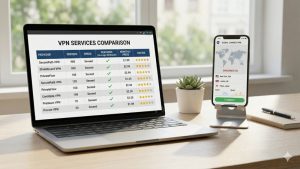
Looking for a solid VPN for your Mac? NordVPN offers a native macOS app that’s well-designed, fast, and packed with features — whether you’re on an Intel Mac or Apple Silicon. Here’s what to expect.
This article contains affiliate links.
NordVPN on Mac: Key Specs
| Feature | Details |
|---|---|
| Compatibility | Intel and Apple Silicon (M1/M2/M3+) |
| Servers | 8,900+ across 120+ countries |
| Protocol | NordLynx (WireGuard-based) |
| Speed retention | 85-95% of normal speed |
| Simultaneous devices | 6 per account |
| Menu bar integration | ✅ Quick access without opening app |
| Starting price | $3.39/month |
Setup: Quick and Easy
Step by step
- Create an account at NordVPN’s website (better deals than the App Store)
- Download the Mac app — optimized for both Intel and Apple Silicon
- Install and open — grant VPN configuration permission when macOS asks
- Log in and tap Quick Connect — automatically picks the fastest server
Recommended settings
| Setting | Recommended | Why |
|---|---|---|
| Protocol | NordLynx | Best speed, optimized for Apple Silicon |
| Auto-connect on startup | On | Always protected when you open your Mac |
| Auto-connect on Wi-Fi | On | Activates on untrusted networks |
| Kill switch | On | Prevents data leaks if VPN drops |
| CyberSec | On | Blocks ads, malware, and trackers |
The App: What It’s Like to Use
Native macOS feel
The app follows macOS design guidelines — it feels like it belongs on your Mac. The main window shows a world map with server locations, and the menu bar icon lets you connect, disconnect, and switch servers without opening the full app. Keyboard shortcuts work as expected.
Server selection
Browse servers by country on the map or use the list view with real-time load indicators. Save favorites for quick access. Specialty servers are clearly categorized:
- Double VPN — Two-server encryption
- P2P-optimized — For large file transfers
- Onion Over VPN — VPN + Tor combined
- Obfuscated — Hides VPN traffic on restrictive networks
- Dedicated IP — Your own consistent IP address
NordVPN vs Other Mac VPNs
| Feature | NordVPN | ExpressVPN | Surfshark |
|---|---|---|---|
| Servers | 8,900+ | 3,000+ | 3,200+ |
| Countries | 120+ | 105 | 100+ |
| Apple Silicon native | ✅ | ✅ | ✅ |
| Menu bar integration | ✅ | ✅ | ✅ |
| Ad/malware blocker | ✅ CyberSec | Partial | ✅ CleanWeb |
| Dark Web Monitor | ✅ | ❌ | ❌ |
| Starting price | $3.39/mo | $2.44/mo | $1.99/mo |
NordVPN offers the largest server network, built-in CyberSec protection, and Dark Web monitoring — features that most competitors charge extra for or don’t include.
Troubleshooting
Common issues and fixes
| Problem | Solution |
|---|---|
| VPN won’t connect | Try a different server → Switch protocol → Remove VPN profile in System Settings → Reinstall |
| Slow speeds | Switch to NordLynx protocol → Try a closer server → Check server load |
| App not opening after macOS update | Update NordVPN to latest version → Reinstall if needed |
| Menu bar icon missing | Check app preferences → Restart the app |
Frequently Asked Questions
Does NordVPN work on Apple Silicon Macs?
Yes — NordVPN has a native Apple Silicon build optimized for M1, M2, M3, and newer chips. It takes advantage of the hardware’s security features and runs efficiently with minimal battery impact.
Can I use NordVPN on Mac and iPhone with the same account?
Yes. One NordVPN account supports 6 simultaneous connections across all your devices — Mac, iPhone, iPad, and more. Settings sync across devices automatically.
Does NordVPN slow down my Mac?
Barely. With NordLynx protocol and nearby servers, you’ll retain 85-95% of your normal speed. Most users don’t notice any difference during everyday browsing, email, and video calls.
Is there a Mac App Store version?
Yes, but we recommend downloading directly from NordVPN’s website. The website version includes all features (like CyberSec), while the App Store version may have some limitations due to Apple’s policies.
Conclusion
NordVPN’s Mac app is fast, well-designed, and fully optimized for both Intel and Apple Silicon. The native macOS interface, menu bar integration, and comprehensive feature set make it one of the best VPN options for Mac users.
NordVPN for Mac starts at $3.39/month with a 30-day money-back guarantee.