Looking to protect your Android phone with a VPN? NordVPN is one of the top choices — it’s fast, easy to use, and built with Android in mind. Whether you’re on public Wi-Fi, at home, or traveling, it keeps your data private and your connection secure.
Here’s everything you need to know about setting up and using NordVPN on Android.
This article contains affiliate links.
Why NordVPN Works Well on Android
Key specs
| Feature | Details |
|---|---|
| Servers | 8,900+ across 120+ countries |
| Protocol | NordLynx (WireGuard-based) |
| Speed retention | 80-90% of normal speed |
| Latency added | 10-30ms on nearby servers |
| Simultaneous devices | 6 per account |
| Starting price | $3.39/month |
Android-specific features
- Split tunneling — Choose which apps go through the VPN and which don’t (not available on iPhone)
- Always-on VPN — Auto-connects whenever your phone goes online
- CyberSec — Blocks ads, malware, and trackers across all apps
- Kill switch — Both app-level and system-wide options available
- Auto-connect on untrusted Wi-Fi — Activates automatically on public networks
How to Install NordVPN on Android
Step by step
- Open Google Play Store and search for “NordVPN”
- Download the official app by Tefincom & Co., S.A. (check the developer name to avoid fakes)
- Open the app and log in — or create an account if you’re new
- Allow VPN permissions when prompted
- Tap Quick Connect — the app picks the fastest server for you automatically
Recommended settings
| Setting | Recommended | Why |
|---|---|---|
| Protocol | NordLynx | Best speed and efficiency |
| Auto-connect | On (untrusted Wi-Fi) | Automatic protection on public networks |
| Kill switch | On | Prevents data leaks if VPN drops |
| CyberSec | On | Blocks ads and malware system-wide |
| Split tunneling | Configure as needed | Exclude apps that don’t need VPN |
The App: What It’s Like to Use
Clean, intuitive interface
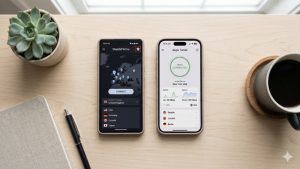
The main screen shows a world map with server pins and a big “Quick Connect” button. You can browse servers by country, check real-time load percentages, and save favorites. The color-coded connection indicator makes it immediately obvious whether you’re protected.
Specialty servers available
- Double VPN — Two-server encryption for maximum security
- P2P-optimized — Built for large file transfers and torrenting
- Onion Over VPN — VPN + Tor network combined
- Obfuscated — Hides VPN usage on restrictive networks
NordVPN vs Other Android VPNs
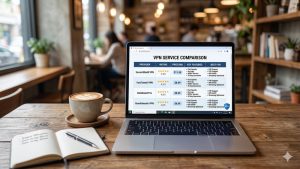
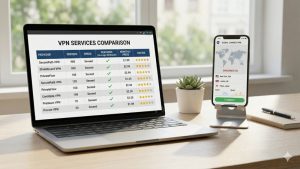
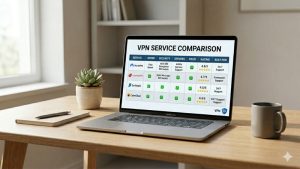
| Feature | NordVPN | ExpressVPN | Surfshark |
|---|---|---|---|
| Servers | 8,900+ | 3,000+ | 3,200+ |
| Countries | 120+ | 105 | 100+ |
| Split tunneling | ✅ | ✅ | ✅ |
| Ad/malware blocker | ✅ CyberSec | Partial | ✅ CleanWeb |
| Simultaneous devices | 6 | 8 | Unlimited |
| Starting price | $3.39/mo | $2.44/mo | $1.99/mo |
NordVPN’s biggest advantages on Android: the largest server network, split tunneling for granular app control, and CyberSec for system-wide ad and malware blocking.
Troubleshooting Common Issues
VPN won’t connect
- Force close and reopen the app
- Try a different server
- Switch protocol (Settings → Protocol → try OpenVPN UDP)
- Check that “Always-on VPN” isn’t set to a different VPN app
- Update both the app and your Android OS
Slow speeds
- Switch to NordLynx protocol
- Connect to a closer server
- Pick a server with lower load
- Disable battery optimization for NordVPN (Settings → Battery → NordVPN → Don’t optimize)
Frequently Asked Questions
Does NordVPN drain Android battery?
The impact is minimal with NordLynx protocol — most users see about 5-10% extra drain. Make sure battery optimization is disabled for NordVPN so Android doesn’t kill the VPN in the background.
Can I use split tunneling on Android?
Yes — this is actually an Android advantage over iPhone. You can choose exactly which apps use the VPN and which connect directly. Great for excluding apps that don’t need VPN protection while keeping sensitive ones secure.
Does NordVPN work on all Android versions?
NordVPN supports Android 7.0 (Nougat) and above. Older devices may have limited features but core VPN functionality works across all supported versions.
Can I install NordVPN without Google Play Store?
Yes. You can download the APK directly from NordVPN’s website. Enable “Install from Unknown Sources” in your security settings first, then install the downloaded file.
Conclusion
NordVPN on Android is fast, feature-rich, and easy to use. The split tunneling, always-on VPN, and CyberSec features make it especially well-suited for Android devices. Setup takes about 2 minutes, and Quick Connect means you’re protected with a single tap.
NordVPN for Android starts at $3.39/month with a 30-day money-back guarantee.