You probably use social media every day — scrolling through feeds, posting updates, messaging friends. But have you ever thought about how much personal information you’re exposing every time you open Instagram, Facebook, or X?
Social media platforms collect far more data than most people realize. Every like, click, and scroll builds a detailed profile of who you are, what you’re interested in, and where you go. And it’s not just the platforms themselves — your ISP, advertisers, and even hackers can monitor your social media activity.
A VPN can’t stop you from oversharing, but it can protect the data you don’t realize you’re giving away. Let’s look at how.
This article contains affiliate links.
How Social Media Tracks You
The data platforms collect
| Data type | What’s collected | How it’s used |
|---|---|---|
| Your IP address | Logged every time you connect | Location tracking, ad targeting |
| Browsing behavior | What you click, how long you scroll, what you skip | Algorithmic profiling |
| Device info | Phone model, OS, screen size, battery level | Device fingerprinting |
| Location data | GPS, Wi-Fi networks, IP-based location | Location-based ads and content |
| Contact lists | Phone contacts (if you grant access) | “People you may know” suggestions |
| Off-platform activity | Sites you visit that have social media buttons | Cross-site advertising profile |
Tracking beyond the platform
Social media tracking doesn’t stop when you close the app. “Like” and “Share” buttons embedded on other websites report back to the platform, even if you don’t click them. This creates a browsing profile that extends far beyond the social media site itself.
Your ISP can also see when you’re using social media, how long you spend on each platform, and how much data you’re transferring — all without you knowing.
How a VPN Protects Your Social Media Privacy
| Threat | Without VPN | With VPN |
|---|---|---|
| IP address exposed to platform | ✅ Your real IP logged | VPN server’s IP shown instead |
| ISP sees social media usage | ✅ Which platforms, when, how long | ❌ All traffic encrypted |
| Location revealed via IP | ✅ Approximate location visible | ❌ VPN server’s location shown |
| Public Wi-Fi snooping | ✅ Login credentials at risk | ❌ Everything encrypted |
| Network-level blocking | ✅ School/work can block platforms | ❌ Traffic is encrypted |
What a VPN can and can’t do for social media
Let’s be clear about expectations:
- A VPN CAN: Hide your IP address from platforms, encrypt your connection, prevent ISP monitoring, protect you on public Wi-Fi
- A VPN CAN’T: Stop platforms from tracking activity within your logged-in account (likes, posts, messages), prevent you from voluntarily sharing personal information, or block cookie-based tracking within the platform
The key insight: a VPN protects your network-level privacy. For platform-level privacy, you also need smart privacy settings.
Social Media Privacy Settings You Should Change Today
Facebook / Meta
- Settings → Privacy → Limit who can see your posts and friend list
- Settings → Off-Facebook Activity → Clear history and turn off future tracking
- Settings → Ads → Turn off ad personalization based on partner data
- Disable facial recognition (if available in your region)
- Switch to a private account if you don’t need public visibility
- Settings → Privacy → Disable Activity Status (hides when you’re online)
- Revoke access to third-party apps you no longer use
- Turn off location tagging on posts
X (Twitter)
- Settings → Privacy → Disable “Personalize based on your inferred identity”
- Turn off location information on tweets
- Disable “Allow others to find you by email/phone”
- Review and revoke third-party app permissions
General tips for all platforms
| Action | Why it helps |
|---|---|
| Use a unique email for each platform | Harder to link your accounts across services |
| Don’t grant contact/location access | Limits the data platforms can harvest from your device |
| Regularly review connected apps | Third-party apps often have excessive data access |
| Avoid “Sign in with Facebook/Google” | Creates cross-platform data links |
| Use a VPN before opening social media | Hides your IP and encrypts traffic from the start |
Public Wi-Fi: The Biggest Social Media Risk
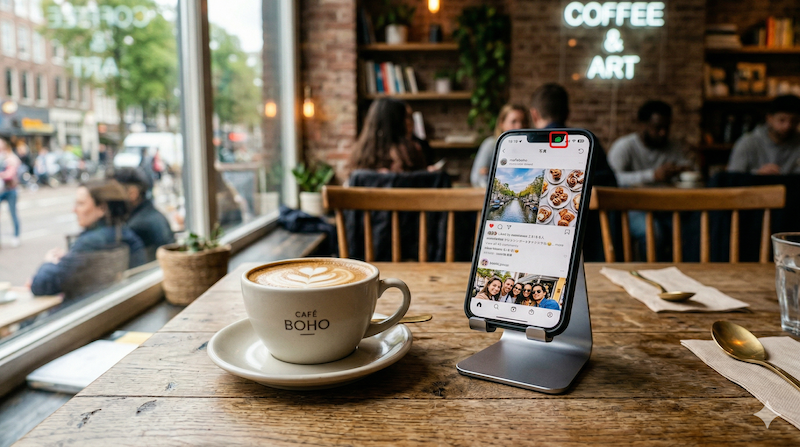
We’ve all been there — checking social media at a coffee shop, airport, or hotel. Public Wi-Fi is where your social media accounts are most vulnerable:
- Session hijacking — Attackers on the same network can potentially steal your login session
- Man-in-the-middle attacks — Someone intercepts data between your device and the Wi-Fi router
- Fake hotspots — Malicious networks named to look like legitimate ones (e.g., “Starbucks_WiFi_Free”)
A VPN encrypts everything before it leaves your device, making all of these attacks ineffective. Your data is unreadable even if someone intercepts it.
Frequently Asked Questions
Will a VPN stop Facebook from tracking me?
A VPN hides your IP address from Facebook and prevents your ISP from seeing your Facebook activity. However, when you’re logged into Facebook, the platform still tracks your in-app behavior (likes, clicks, time spent). For the best protection, combine a VPN with Facebook’s privacy settings (especially turning off “Off-Facebook Activity”).
Should I always use a VPN when using social media?
It’s a good habit, especially on public Wi-Fi. A VPN adds meaningful privacy protection (IP masking, encryption, ISP blocking) with zero effort — just connect and use social media as normal. The privacy benefits far outweigh the minimal speed impact of modern VPN protocols.
Can social media platforms detect I’m using a VPN?
Some platforms may notice you’re connecting from a VPN server’s IP address. In rare cases, this might trigger a security verification (like confirming your identity). This is normal and doesn’t indicate any problem — it’s just the platform’s security system noticing a different IP than usual.
Does a VPN protect my DMs and private messages?
A VPN encrypts data in transit between your device and the VPN server, which protects your messages from ISP monitoring and public Wi-Fi snooping. However, the social media platform itself can still access your messages on their servers. For truly private messaging, use end-to-end encrypted apps like Signal.
Conclusion
Social media platforms collect enormous amounts of data about you, but you can significantly reduce your exposure with two steps: use a VPN to protect your network-level privacy (IP address, ISP monitoring, public Wi-Fi), and tighten your privacy settings on each platform to limit data collection within the apps.
NordVPN makes the network side effortless — one click encrypts your connection, hides your IP, and includes CyberSec to block tracking scripts. Starting at $3.39/month.