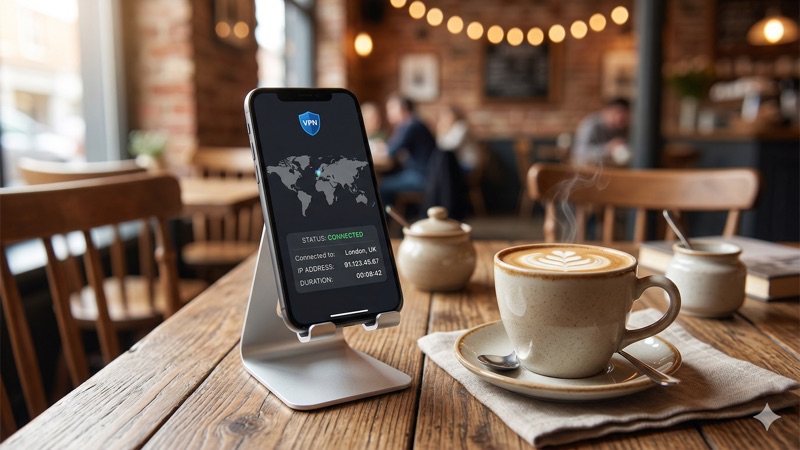
You’re sitting in a coffee shop, connected to the free Wi-Fi, scrolling through your iPhone. You check your bank balance, reply to a work email, maybe browse a few online stores. It feels routine and harmless. But without a VPN, every bit of data leaving your iPhone could be visible to anyone monitoring that network. Finding the best VPN for iPhone isn’t just a nice-to-have anymore — it’s a practical step toward keeping your digital life private, whether you’re on public Wi-Fi, traveling abroad, or simply browsing at home.
Apple has built a reputation for prioritizing user privacy, and iPhones do come with solid security features baked in. But there’s a common misconception that iOS devices don’t need additional protection. The truth is, your iPhone’s built-in security protects the device itself, but it doesn’t encrypt your internet traffic or hide your IP address from your internet service provider (ISP), advertisers, or potential snoops on shared networks. That’s where a reliable iPhone VPN comes in.
In this guide, we’ll walk you through why iPhone users benefit from a VPN, what iOS-specific features to look for, and our honest picks for the best iOS VPN in 2026. We’ll also show you exactly how to set one up — it takes less than five minutes.
Why iPhone Users Need a VPN in 2026
There’s a persistent myth that iPhones are “unhackable” or that Apple’s ecosystem makes VPNs unnecessary. While it’s true that iOS is a tightly controlled operating system with strong sandboxing and app review processes, these protections have limits. They guard against malware and malicious apps, but they don’t protect the data traveling between your iPhone and the internet.
Here are the most common reasons everyday iPhone users turn to a VPN:
Public Wi-Fi Protection
Coffee shops, airports, hotels, and libraries all offer free Wi-Fi — and all of them come with risks. On an unsecured network, it’s relatively straightforward for someone with the right tools to intercept unencrypted data. A VPN encrypts your connection, turning your data into unreadable code for anyone trying to eavesdrop. Think of it as a private tunnel between your iPhone and the internet.
Preventing ISP Tracking
Even when you’re connected to your home Wi-Fi or mobile data, your internet service provider can see which websites you visit. In many countries, ISPs are legally allowed to collect and sell anonymized browsing data to advertisers. A VPN hides your browsing activity from your ISP, giving you a meaningful layer of privacy.
Accessing Content While Traveling
If you’ve ever traveled internationally and found that your usual streaming services, banking apps, or news sites don’t work the same way, you’ve run into geo-restrictions. A VPN lets you connect to a server in your home country, making it appear as though you’re browsing from there. This can be useful for accessing services you already pay for while you’re abroad.
Staying Private from Advertisers
Your IP address is one of many data points advertisers use to build a profile about you. While a VPN isn’t a complete anti-tracking solution on its own, masking your real IP address makes it harder for ad networks to follow you across the web. Combined with other privacy tools like Safari’s Intelligent Tracking Prevention, a VPN adds a valuable layer of defense.
Key Takeaway: Your iPhone’s built-in security protects the device from malware and unauthorized apps, but it doesn’t encrypt your internet traffic or hide your IP address. A VPN fills that gap — especially on public Wi-Fi, when traveling, or if you simply don’t want your ISP logging every website you visit.
What to Look for in the Best VPN for iPhone
Not every VPN works equally well on iOS. Some providers build excellent desktop apps but treat their iPhone versions as an afterthought. When choosing a VPN for your iPhone, here are the features that matter most.
A Dedicated, Well-Designed iOS App
The VPN you choose should have a dedicated app available on the Apple App Store. This ensures the app has passed Apple’s review process and is optimized for iOS. Look for an app that’s intuitive, doesn’t drain your battery excessively, and receives regular updates. A VPN app that hasn’t been updated in months is a red flag.
Strong Encryption and Modern Protocols
Encryption is what makes a VPN actually useful for privacy. Look for AES-256 encryption, which is the current industry standard used by banks and governments. Equally important is the VPN protocol — the method used to create the encrypted connection. The best options for iPhone in 2026 are:
- WireGuard — A modern, lightweight protocol known for fast speeds and strong security. Many top VPNs use their own implementations of WireGuard (for example, NordVPN’s NordLynx).
- IKEv2/IPSec — Natively supported by iOS, which makes it very stable on iPhones. It’s excellent at quickly reconnecting when you switch between Wi-Fi and mobile data.
- OpenVPN — A well-established open-source protocol. It’s reliable and secure, though slightly slower than WireGuard on mobile devices.
For most iPhone users, WireGuard or IKEv2 will offer the best combination of speed, stability, and security.
A Verified No-Logs Policy
A no-logs policy means the VPN provider doesn’t record your browsing activity, connection timestamps, or IP addresses. This is crucial because if a VPN keeps logs, your data could be exposed through a data breach or a legal request. The most trustworthy providers back up their no-logs claims with independent audits conducted by third-party security firms.
Kill Switch for iOS
A kill switch automatically blocks your internet connection if the VPN drops unexpectedly. This prevents your real IP address and unencrypted data from leaking, even for a split second. Not all VPN apps offer a fully functional kill switch on iOS due to Apple’s platform restrictions, so this is an important feature to verify before subscribing.
Simultaneous Connections
Most people don’t just use an iPhone — they have a laptop, a tablet, maybe a smart TV. The number of simultaneous connections a VPN allows determines how many devices you can protect with a single subscription. This varies significantly between providers, so it’s worth checking before you commit.
Speed and Server Network
A VPN will always add a small amount of overhead to your connection, but the best providers keep this to a minimum. A large server network spread across many countries also helps, because connecting to a server that’s geographically close to you usually results in faster speeds.
Best VPN for iPhone: Our Top 3 Picks for 2026
We’ve evaluated these providers based on their iOS app quality, speed, privacy policies, and overall value. Here are our top recommendations for the best iOS VPN in 2026.
1. NordVPN — Best Overall iPhone VPN
NordVPN consistently ranks among the top VPN providers, and its iOS app is one of the best in the business. The app is clean, fast to connect, and packed with features that many competitors leave out of their mobile versions.
Why it’s great for iPhone:
- Dedicated iOS app available on the App Store, regularly updated
- Uses NordLynx (built on WireGuard) for fast, secure connections
- Supports up to 10 simultaneous connections
- Independently audited no-logs policy (multiple audits completed)
- Threat Protection feature that blocks ads, trackers, and malicious websites
- Over 6,000 servers in 60+ countries
- Functional kill switch on iOS
NordVPN’s iOS app also includes Dark Web Monitor, which alerts you if your credentials appear in known data breaches. The interface is map-based, making it easy to visually select a server location. For most iPhone users who want a balance of privacy, speed, and features, NordVPN is a strong first choice.
Considerations: NordVPN’s pricing is most affordable on longer-term plans (one or two years). The monthly plan is significantly more expensive, which is common across the industry.
2. ExpressVPN — Best for Speed and Simplicity
ExpressVPN has long been known for its polished apps and consistently fast speeds. Its iPhone app is arguably the most user-friendly VPN app available on iOS — you can connect with a single tap, and the app automatically selects the fastest server for your location.
Why it’s great for iPhone:
- Beautifully designed iOS app with one-tap connection
- Lightway protocol (ExpressVPN’s proprietary protocol, similar to WireGuard in performance)
- ExpressVPN Pro plan supports up to 14 simultaneous connections
- Independently audited no-logs policy
- Servers in 105 countries — one of the largest networks available
- Strong performance on streaming and general browsing
- Built-in speed test within the app
ExpressVPN’s Lightway protocol was built from the ground up for mobile devices. It connects in under a second and handles network switches (Wi-Fi to cellular) seamlessly. If speed and ease of use are your top priorities, ExpressVPN is hard to beat.
Considerations: ExpressVPN is generally priced at a premium compared to other providers. However, the Pro plan’s 14 simultaneous connections and additional features may justify the cost for users with multiple devices or family members to cover.
3. Surfshark — Best Value with Unlimited Connections
Surfshark has quickly become one of the most popular VPN choices for families and multi-device households, and for good reason. It offers unlimited simultaneous connections, meaning you can protect every device in your home — iPhones, iPads, Macs, Windows PCs, Android devices, smart TVs — all with a single subscription.
Why it’s great for iPhone:
- Dedicated iOS app available on the App Store
- Unlimited simultaneous connections — no device limits
- WireGuard support for fast, efficient mobile connections
- CleanWeb feature blocks ads and trackers
- Independently audited no-logs policy
- Servers in 100+ countries
- Competitive pricing, especially on multi-year plans
Surfshark’s unlimited connections policy is its standout feature. If you’ve ever been frustrated by hitting a device limit, this alone may be reason enough to choose it. The iOS app is well-designed and includes features like MultiHop (connecting through two servers for extra privacy) and a GPS spoofing option on supported devices.
Considerations: Surfshark’s speeds are generally very good but can occasionally lag behind NordVPN and ExpressVPN on certain server locations. For everyday browsing, streaming, and privacy, most users won’t notice a difference.
Quick Comparison:
NordVPN: 10 simultaneous connections, NordLynx protocol, 6,000+ servers — best all-around pick.
ExpressVPN: 14 simultaneous connections (Pro plan), Lightway protocol, 105 countries — best for speed and simplicity.
Surfshark: Unlimited connections, WireGuard, 100+ countries — best value for families and multi-device users.
How to Set Up a VPN on Your iPhone
Setting up a VPN on iOS is straightforward. You don’t need any technical knowledge — the entire process takes about three to five minutes. Here’s a step-by-step walkthrough.
Step 1: Choose and Subscribe to a VPN Provider
Pick one of the providers above (or another reputable VPN service) and create an account on their website. You’ll typically need an email address and a payment method. Most providers offer 30-day money-back guarantees, so you can try the service risk-free.
Step 2: Download the App from the App Store
Open the App Store on your iPhone and search for your VPN provider’s name — for example, “NordVPN,” “ExpressVPN,” or “Surfshark.” Download the official app. Be careful to select the correct one, as there are occasionally copycat apps with similar names. Check the developer name matches the official provider.
Step 3: Sign In and Grant Permissions
Open the app and sign in with the account you created. The app will ask permission to add a VPN configuration to your iPhone. You’ll see a prompt that says something like “App would like to add VPN configurations.” Tap Allow and confirm with Face ID, Touch ID, or your passcode. This is a standard iOS permission — it simply allows the app to create a secure VPN tunnel.
Step 4: Connect to a Server
Once the app is set up, you can connect with a single tap. Most apps have a “Quick Connect” button that automatically selects the fastest server near you. You can also manually choose a specific country or city if you need to connect to a particular location.
Step 5: Verify Your Connection
When connected, you’ll see a small “VPN” icon in your iPhone’s status bar (near the top of the screen). This confirms the VPN is active. You can also verify by visiting a site like whatismyipaddress.com — it should show the VPN server’s location instead of your real one.
Optional: Enable Auto-Connect
Most VPN apps let you enable auto-connect, so the VPN activates automatically whenever you join a Wi-Fi network or start your phone. This is especially useful if you want always-on protection without having to remember to turn it on manually. You’ll usually find this option in the app’s settings under “Auto-Connect” or “VPN Protocol” settings.
iPhone VPN Tips: Getting the Most Out of Your VPN on iOS
Once your VPN is installed and running, here are a few tips to optimize your experience.
Use WireGuard or IKEv2 for Better Battery Life
VPN protocols make a real difference on mobile devices. WireGuard and IKEv2 are both lightweight and efficient, which means less battery drain compared to older protocols like OpenVPN. Most modern iPhone VPN apps default to WireGuard or their own implementation of it, but it’s worth double-checking in the app’s settings.
Enable the Kill Switch
If your VPN provider offers a kill switch on iOS, turn it on. This ensures that if your VPN connection drops — due to a weak signal, server issue, or switching networks — your phone won’t revert to an unprotected connection. Your data stays private even during brief disconnections.
Don’t Rely on a VPN Alone for Complete Privacy
A VPN is a powerful tool, but it’s not a silver bullet. It encrypts your traffic and hides your IP address, but it doesn’t protect you from phishing emails, weak passwords, or tracking cookies you’ve already accepted. Use your VPN alongside other good habits: enable two-factor authentication, use a password manager, keep your iOS updated, and review app permissions regularly.
Be Cautious with Free VPNs
There are free VPN apps on the App Store, and some come from reputable providers that offer a limited free tier. However, most free VPNs come with significant limitations — typically data caps of 2GB to 10GB per month as of 2026, slower speeds, and fewer server locations. More concerning, some free VPN providers have been caught logging user data and selling it to third parties, which defeats the entire purpose of using a VPN.
If you’re testing the waters, look for free tiers from known providers rather than unknown free-only apps. But for reliable, daily protection on your iPhone, a paid VPN subscription is the safer and more practical option.
A Note on VPN Legality
In the vast majority of countries, including the United States, the United Kingdom, Canada, Australia, and most of Europe, using a VPN is perfectly legal. You’re simply encrypting your internet connection — there’s nothing unlawful about that.
However, laws vary by country. In some regions, VPN use is restricted or regulated. For example, in the UAE, VPN use is legal for all users for lawful purposes. The issue is not VPN use itself, but using a VPN to access prohibited content or conduct illegal activity. Countries like China and Russia have their own regulations around VPN usage.
If you’re traveling or living in a country with specific internet regulations, it’s wise to research the local laws before using a VPN. Using a VPN to engage in illegal activity is, of course, illegal regardless of where you are — the VPN doesn’t change the legality of the activity itself.
Best VPN for iPhone: Frequently Asked Questions
Does an iPhone really need a VPN?
Yes, it’s a practical security measure. While iPhones have strong built-in security against malware and unauthorized apps, they don’t encrypt your internet traffic or hide your IP address. A VPN adds that layer of protection, which is especially important on public Wi-Fi networks, when traveling, or if you want to prevent your ISP from tracking your browsing activity.
Will a VPN slow down my iPhone’s internet speed?
A VPN adds a small amount of overhead because your data is being encrypted and routed through an additional server. With a quality provider like NordVPN, ExpressVPN, or Surfshark, the speed reduction is typically minimal — most users won’t notice it during everyday browsing, streaming, or social media use. Using modern protocols like WireGuard helps keep speeds as close to normal as possible.
Can I use a free VPN on my iPhone?
You can, but proceed with caution. Some reputable providers offer limited free tiers, but most free VPNs in 2026 impose data caps of around 2GB to 10GB per month, limit server choices, and may not offer the same privacy protections as paid services. Some free VPN apps have been found to collect and sell user data. For reliable, everyday use, a paid VPN is a much better option.
How do I know if my VPN is working on my iPhone?
When your VPN is active, you’ll see a small “VPN” indicator in the status bar at the top of your iPhone screen. You can also verify by visiting a website like whatismyipaddress.com or ipleak.net — these sites will show the IP address and location of the VPN server you’re connected to, rather than your real IP address and location.
Is it legal to use a VPN on my iPhone?
In most countries, including the US, UK, Canada, and much of Europe, VPN use is completely legal. However, laws vary by jurisdiction. In the UAE, for instance, VPN use is legal for lawful purposes — the concern is using a VPN to access prohibited content, not the VPN itself. Always check local regulations if you’re in or traveling to a country with specific internet laws. Using a VPN never makes illegal activity legal.
Does a VPN protect me from all online threats?
No. A VPN is excellent at encrypting your internet traffic and masking your IP address, but it doesn’t protect against every threat. It won’t stop you from clicking a phishing link, downloading a malicious file, or using a weak password. Think of a VPN as one important layer of your overall security strategy, not a complete solution. Combine it with strong passwords, two-factor authentication, and keeping your iOS software up to date.
Conclusion: Choosing the Best VPN for iPhone in 2026
Your iPhone is likely the most personal device you own — it holds your messages, photos, financial apps, health data, and more. Protecting the data that flows to and from it is worth the small investment a VPN requires.
To find the best VPN for iPhone, focus on what matters: a well-maintained iOS app available on the App Store, strong encryption with modern protocols, a verified no-logs policy, and enough simultaneous connections to cover your other devices too. NordVPN offers the best overall package with 10 connections and its fast NordLynx protocol. ExpressVPN is ideal if speed and simplicity are your priorities, with up to 14 connections on the Pro plan. And Surfshark is the standout choice for value, offering unlimited connections at a competitive price.
All three have dedicated iPhone apps, 30-day money-back guarantees, and have been independently audited. You can set any of them up in under five minutes and start browsing more privately right away.
Want to explore more options or learn how VPNs work on other devices? Check out our complete guide to the best VPN services in 2026 for a deeper comparison across platforms.
“`