How to Watch Amazon Prime Video Japan from Abroad
You’ve been following a Japanese drama on Amazon Prime Video for weeks. The story is reaching its climax, you’re completely invested in the characters, and then — you travel abroad for work or vacation. You open the app, navigate to your show, and it’s simply not there anymore. Or worse, you see a message telling you the content isn’t available in your region. If you’ve ever tried to watch Amazon Prime Video Japan abroad, you know exactly how frustrating this experience can be.
The good news is that there’s a practical workaround. A VPN (Virtual Private Network) can help you access your Japanese Prime Video library from almost anywhere in the world. But it’s not quite as simple as flipping a switch — Amazon actively works to detect and block VPN connections, so you need the right tool and the right approach.
In this guide, we’ll walk you through everything you need to know: why the content differs by region, how to set things up step by step, which VPN providers work best, and what to do when things go wrong. Whether you’re a Japanese expat living overseas or someone who simply loves J-dramas and anime, this article has you covered.
Why Amazon Prime Video Japan Shows Different Content Abroad
Before diving into the how-to, it’s worth understanding why this problem exists in the first place. Amazon Prime Video doesn’t offer the same content library in every country. The shows and movies you see depend entirely on where you’re physically located when you open the app.
This happens because of content licensing agreements. When Amazon acquires the rights to stream a show or movie, those rights are typically limited to specific countries or regions. A Japanese drama licensed for streaming in Japan may not be licensed for viewers in the United States, Germany, or Australia. It’s not Amazon’s choice to annoy you — it’s a legal obligation.
Amazon determines your location primarily through your IP address, which is a unique numerical label assigned to your internet connection. When you connect to the internet in Paris, your IP address tells Amazon you’re in France, so you see the French content library. When you’re in Tokyo, you see the Japanese library. This geo-restriction system is the core of the problem — and it’s exactly what a VPN can help you work around.
What Makes the Japanese Library Special?
Amazon Prime Video Japan (Amazon プライム・ビデオ) offers a rich catalog that you won’t find on other regional versions of the service. This includes a vast selection of Japanese anime series, J-dramas, variety shows, and Japanese-language films. Many of these titles are exclusive to the Japanese library and aren’t available on Prime Video in other countries.
Additionally, some internationally produced content appears on Prime Video Japan with Japanese subtitles or dubbing that isn’t available elsewhere. For Japanese language learners, this can be an incredibly valuable resource. And for Japanese nationals living abroad, it’s simply a way to stay connected to entertainment from home.
How a VPN Helps You Watch Amazon Prime Video Japan Abroad
A VPN works by routing your internet traffic through a server in a location of your choosing. When you connect to a VPN server in Japan, your internet traffic appears to originate from Japan. Amazon’s servers see a Japanese IP address and serve you the Japanese content library — as if you were sitting in a café in Shibuya.
Here’s what happens behind the scenes: your device connects to the VPN app, which encrypts your data and sends it through a secure tunnel to a server in Japan. That server then forwards your request to Amazon. Amazon sees the Japanese server’s IP address, not yours, and responds with the Japanese version of its streaming library.
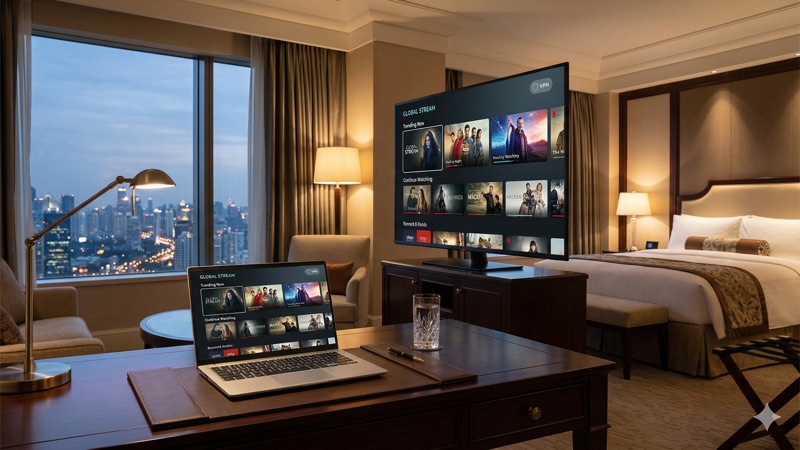
Beyond accessing geo-restricted content, a VPN also encrypts your internet connection, which adds a layer of privacy and security — particularly useful when you’re streaming on public Wi-Fi networks in hotels, airports, or coffee shops.
Step-by-Step Guide to Watch Amazon Prime Video Japan Abroad
Let’s get into the practical steps. This process is straightforward, but each step matters. Skipping one — especially the server selection or account setup — can mean the difference between streaming smoothly and staring at an error message.
Step 1: Get an Amazon Prime Japan Account
First, you need an active Amazon Prime subscription through Amazon.co.jp (the Japanese version of Amazon). This is separate from any Amazon Prime subscription you might have in another country. Your US, UK, or other regional Prime membership will not give you access to the Japanese Prime Video library.
To sign up, visit amazon.co.jp and create an account. You’ll need a valid payment method — Amazon Japan accepts many international credit cards, though some may be declined. If you already have a Japanese Amazon account, simply ensure your Prime membership is active.
One important note: Amazon Japan’s website and sign-up flow is primarily in Japanese, though some pages offer English translations. Using your browser’s built-in translation feature can help if you don’t read Japanese.
Step 2: Choose a Reliable VPN Provider
This is arguably the most critical step. Amazon Prime Video is known for its aggressive VPN detection, and many VPN services simply don’t work with it. You need a provider that actively maintains servers capable of bypassing these blocks — and keeps updating them as Amazon adapts.
We’ll cover specific VPN recommendations in the next section, but here’s what to look for in general:
- Servers in Japan: This is non-negotiable. The provider must have multiple server locations in Japan.
- Proven streaming unblocking: Look for VPNs that specifically mention Amazon Prime Video compatibility.
- Fast connection speeds: Streaming video in HD or 4K requires consistent bandwidth. Slow VPN servers lead to buffering and poor quality.
- Apps for your devices: Make sure the VPN has apps for the devices you plan to stream on — phone, tablet, laptop, smart TV, or streaming stick.
- Reliable customer support: When a server stops working with Prime Video (and it happens), responsive support can direct you to one that does.
Step 3: Install and Set Up the VPN
Once you’ve chosen a provider, download and install their app on the device you’ll use for streaming. Most reputable VPN providers offer apps for Windows, macOS, iOS, Android, Fire TV Stick, and Android TV. The installation process is usually as simple as downloading from an app store and logging in.
After installation, open the app and sign in with the account you created when subscribing to the VPN service. Take a moment to explore the settings. For streaming purposes, you generally want to use the default protocol settings, though some providers recommend specific protocols (like WireGuard or their proprietary protocols) for optimal streaming speeds.
Step 4: Connect to a Japanese Server
In the VPN app, look for the server list and select a server located in Japan. Most providers offer servers in Tokyo, and some also have options in Osaka or other Japanese cities. If you’re given a choice, Tokyo servers tend to have the best performance for streaming due to their proximity to Amazon’s infrastructure in the region.
Once connected, the VPN app should confirm that your connection is active and show your new Japanese IP address. At this point, your internet traffic appears to be coming from Japan.
Step 5: Open Amazon Prime Video and Start Streaming
Now, open the Amazon Prime Video app or visit primevideo.com in your browser. Make sure you’re signed into your Amazon.co.jp account. You should see the Japanese content library, complete with anime, J-dramas, and other Japan-exclusive titles.
If the content still looks like your local library, try these quick fixes: clear your browser cookies and cache, close and reopen the Prime Video app, or try a different Japanese server in your VPN app. Sometimes Amazon’s systems take a moment to recognize the new IP address.
Step 6: Enjoy Your Content
Browse, search, and stream as you normally would. If you experience buffering, try connecting to a different Japanese server — some servers may be less congested than others. Most premium VPN providers offer several Japan-based servers to choose from.
Best VPNs for Amazon Prime Video Japan in 2026
Not all VPNs are created equal when it comes to streaming Amazon Prime Video Japan abroad. Amazon’s detection technology is sophisticated, and it blocks the IP addresses of many VPN servers. Here are three providers that have consistently performed well for this purpose.
ExpressVPN
ExpressVPN is widely regarded as one of the most reliable VPNs for streaming. It offers multiple server locations in Japan and has a strong track record of staying ahead of Amazon’s VPN detection. Its proprietary Lightway protocol delivers fast connection speeds, which is important for HD and 4K streaming.
ExpressVPN’s Pro plan supports up to 14 simultaneous connections on its Pro plan (Basic: 10, Advanced: 12), so you can protect and use it across multiple devices at once. The apps are intuitive and available on all major platforms, including Fire TV Stick, which many people use specifically for streaming. Customer support is available 24/7 via live chat, and agents can often tell you which specific server to use if you’re having trouble.
NordVPN
NordVPN offers a large server network with hundreds of servers in Japan alone. This is a significant advantage because when Amazon blocks one server’s IP address, you can quickly switch to another. NordVPN uses its NordLynx protocol (based on WireGuard) for fast streaming performance.
NordVPN supports up to 10 simultaneous connections, and its apps cover all the major platforms. It also offers SmartPlay technology, which is designed to help with streaming geo-restricted content. The combination of server variety and streaming-focused features makes it a strong choice for accessing Prime Video Japan.
Surfshark
Surfshark stands out with its unlimited simultaneous connections policy. This means you can install and use it on every device you own without worrying about hitting a limit. For households where multiple people want to stream, this is a compelling advantage.
Surfshark has servers in Japan and generally performs well with major streaming platforms. Connection speeds are competitive, and the apps are clean and easy to navigate. It’s also typically the most affordable option among the three, making it a popular choice for budget-conscious users who don’t want to sacrifice streaming performance.
Troubleshooting: When Amazon Prime Video Japan Isn’t Working with Your VPN
Even with a top-tier VPN, you may occasionally run into problems. Amazon Prime Video is one of the more aggressive streaming platforms when it comes to blocking VPN traffic. Here are the most common issues and how to fix them.
You See an Error Message or Proxy Warning
If Amazon displays a message saying something like “Your device is connected to the internet using a VPN or proxy service,” it means your current VPN server has been detected. This is the most common issue, and the fix is usually simple: disconnect from the current server and connect to a different Japanese server. Most premium VPNs offer several options.
If switching servers doesn’t help, try changing the VPN protocol in your app settings. Sometimes a different protocol can bypass detection that the default one cannot. Check your VPN provider’s support documentation for recommended settings for streaming.
Content Still Shows Your Local Library
If you’re connected to a Japanese server but still seeing content from your home country, the issue is likely cached location data. Clear your browser’s cookies and cache, or on mobile, try force-closing the Prime Video app and reopening it. On Fire TV Stick, you may need to clear the app’s data through the device settings.
Also double-check that you’re signed into your Amazon.co.jp account, not a regional Amazon account. Each regional Amazon site (amazon.com, amazon.co.uk, amazon.de, etc.) has its own separate Prime subscription and content library.
Buffering and Slow Speeds
A VPN inevitably adds some overhead to your connection because your data has to travel to the VPN server before reaching Amazon. If you’re far from Japan — say, in South America or Africa — this can result in noticeably slower speeds. Here are a few things to try:
- Switch servers: Try a different Japanese server. Some may be less congested.
- Use a wired connection: If possible, connect your device via Ethernet rather than Wi-Fi for more stable speeds.
- Lower the video quality: In Prime Video settings, you can reduce the streaming quality to reduce bandwidth requirements.
- Try a different protocol: WireGuard-based protocols (like NordLynx or Lightway) are generally faster than older protocols like OpenVPN.
- Close other apps: Other applications using your internet connection can compete for bandwidth.
The VPN Works on One Device but Not Another
This can happen because Amazon tracks devices and sessions differently. If the VPN works on your laptop but not your phone, try logging out of the Prime Video app on the problematic device, clearing the app cache, reconnecting the VPN, and then logging back in. Sometimes the app stores location information locally, and a fresh login resolves the issue.
Amazon Asks You to Disable Your VPN
In some cases, Amazon may present a more direct message asking you to turn off your VPN or proxy. If this happens persistently across multiple servers, your VPN provider may be experiencing a broader block. Contact their support team — they can often point you to newly added servers that haven’t been flagged yet. If the issue persists for days, it may be a temporary situation that resolves as the provider deploys new IP addresses.
What About Free VPNs for Amazon Prime Video Japan?
It’s a fair question. If paid VPNs can do this, can free ones do it too? In most cases, the honest answer is no — at least not reliably.
Most free VPNs have significant limitations that make them poor choices for streaming. As of 2026, the majority of free VPN services impose monthly data caps ranging from 2GB to 10GB. To put that in perspective, streaming video in standard definition uses roughly 1GB per hour. A single movie could eat up half your monthly allowance.
Beyond data limits, free VPNs typically offer fewer server locations and far fewer Japanese servers. Since Amazon blocks VPN IP addresses, free providers simply don’t have the resources to constantly rotate and refresh their server infrastructure the way premium providers do. The result is that most free VPN servers are already blocked by Amazon.
There are also privacy concerns. Some free VPN providers monetize their services by collecting and selling user data, displaying intrusive ads, or employing other practices that undermine the privacy benefits a VPN is supposed to provide. If you’re serious about streaming Prime Video Japan abroad, a paid VPN is a worthwhile investment.
Legal Considerations for Using a Prime Video Japan VPN
A common concern is whether using a VPN to access region-restricted content is legal. The answer depends on where you are and what you’re doing, and it’s not always straightforward.
In most countries, using a VPN is perfectly legal. VPNs are legitimate tools used by businesses, travelers, and privacy-conscious individuals every day. However, using a VPN to circumvent geo-restrictions on streaming services like Amazon Prime Video may violate the platform’s terms of service. This is a contractual matter, not typically a criminal one. The most likely consequence is that Amazon blocks your access — not that you face legal action.
That said, laws around VPN use vary significantly by country. In some places, VPN use is restricted or regulated. For example, in the UAE, VPN use is legal for all users for lawful purposes — the issue is not VPN use itself, but using a VPN to access prohibited content. In China and Russia, there are stricter regulations around VPN use. Always check the laws in your specific country before proceeding.
We are not legal professionals, and this article does not constitute legal advice. If you have concerns about the legality of VPN use in your jurisdiction, consult a local legal expert.
Tips for the Best Amazon Prime Japan Streaming Experience
Once you have everything set up, here are some practical tips to make your viewing experience as smooth as possible.
- Download content for offline viewing: When your VPN is connected and working, download shows and movies through the Prime Video app. You can then watch them later without needing the VPN connection active.
- Bookmark working servers: When you find a VPN server that works reliably with Prime Video Japan, save it as a favorite in your VPN app. This saves time the next time you want to stream.
- Keep your VPN app updated: VPN providers frequently update their apps to improve streaming compatibility and add new server options. Running the latest version gives you the best chance of success.
- Use a dedicated IP (if available): Some VPN providers offer dedicated IP addresses as an add-on. These are less likely to be flagged by Amazon because they’re not shared with thousands of other VPN users.
- Check your VPN provider’s blog or status page: Many providers publish guides or updates about which servers currently work with specific streaming platforms.
Can You Use Amazon Prime Video Japan on Any Device?
In theory, yes — as long as you can run a VPN on that device. Here’s a quick breakdown of the most common streaming devices and their VPN compatibility.
- Laptops and desktops (Windows, macOS): Full VPN app support. The easiest devices to use.
- Smartphones and tablets (iOS, Android): Full VPN app support. Works well for on-the-go streaming.
- Amazon Fire TV Stick: Most major VPN providers offer dedicated Fire TV apps. This is a popular and convenient option.
- Android TV and Google TV: VPN apps are generally available through the Google Play Store.
- Apple TV: Native VPN app support has improved. Alternatively, you can configure a VPN on your router.
- Smart TVs (Samsung, LG, etc.): Most don’t support VPN apps natively. The workaround is to set up the VPN on your home router or use a VPN-enabled device like a Fire TV Stick.
- Game consoles (PlayStation, Xbox): No native VPN support. Use a VPN-configured router or share your computer’s VPN connection.
For devices that don’t support VPN apps directly, setting up a VPN on your Wi-Fi router is the most comprehensive solution. This means every device on your network benefits from the VPN connection. However, router setup is more technical and not all routers support VPN configurations. Check your VPN provider’s documentation for router-specific guides.
Frequently Asked Questions
Do I need a separate Amazon Prime subscription for Japan?
Yes. Your Amazon Prime membership in the US, UK, or any other country does not include access to the Japanese Prime Video library. You need to subscribe to Amazon Prime through Amazon.co.jp. The Japanese subscription has its own pricing and is billed separately. Some international credit cards are accepted, but not all.
Will Amazon ban my account if I use a VPN?
It’s unlikely. Amazon’s typical response to detecting a VPN is to block the stream or show an error message — not to ban accounts. However, using a VPN to access content outside your region does technically violate Amazon’s terms of service. While account bans for VPN use are extremely rare, the possibility exists. Use your own judgment and understand the risk.
Why does my VPN work with Netflix but not Amazon Prime Video Japan?
Different streaming platforms use different detection technologies, and their aggressiveness varies. Amazon Prime Video is generally considered one of the tougher platforms to unblock with a VPN. A server that works for Netflix may not work for Prime Video. Try different servers within your VPN app, or contact your provider’s support team for servers specifically optimized for Amazon Prime Video.
Can I watch Prime Video Japan with subtitles in English?
It depends on the specific title. Some content on Prime Video Japan includes English subtitle options, particularly major anime titles and internationally distributed shows. However, many Japanese-exclusive dramas and variety shows may only offer Japanese subtitles or no subtitles at all. Check the subtitle options on each title’s detail page before starting playback.
How fast does my internet connection need to be?
Amazon recommends at least 1 Mbps for standard definition, 5 Mbps for HD, and 15 Mbps for 4K Ultra HD streaming. Since a VPN adds some overhead, aim for at least 20-25 Mbps on your base connection if you want a smooth HD or 4K experience through a VPN connected to a Japanese server. You can test your speed at fast.com or speedtest.net both with and without the VPN active to see the difference.
What if I only want to watch anime — are there easier alternatives?
If your primary interest is anime, platforms like Crunchyroll offer large anime libraries with broader regional availability, which may reduce the need for a VPN. However, some anime titles are exclusive to Amazon Prime Video Japan and aren’t available anywhere else. If those specific titles are what you’re after, a VPN and a Japanese Prime subscription remain the most direct path.
Conclusion: Start Streaming Amazon Prime Video Japan from Anywhere
Being away from Japan shouldn’t mean losing access to the shows and movies you love. With the right VPN and an Amazon.co.jp Prime subscription, you can watch Amazon Prime Video Japan abroad from virtually any location. The setup takes just a few minutes, and once you’re connected to a Japanese server, the full library opens up.
Remember that no solution is perfect — Amazon’s VPN detection means you may occasionally need to switch servers or troubleshoot. But providers like ExpressVPN, NordVPN, and Surfshark are well-equipped to handle these challenges, with dedicated streaming support and regularly updated server infrastructure.
Choose a VPN that fits your needs and budget, follow the step-by-step guide above, and you’ll be back to your favorite J-dramas and anime in no time. If you’re still deciding which provider is right for you, check out our complete guide to the best VPNs for streaming for detailed comparisons and recommendations.